Depence R4 connecting MA3 onPC Illustrated tutorial.

Depence R4 connecting MA3 onPC Illustrated tutorial.
1. Create a loopback network adapter
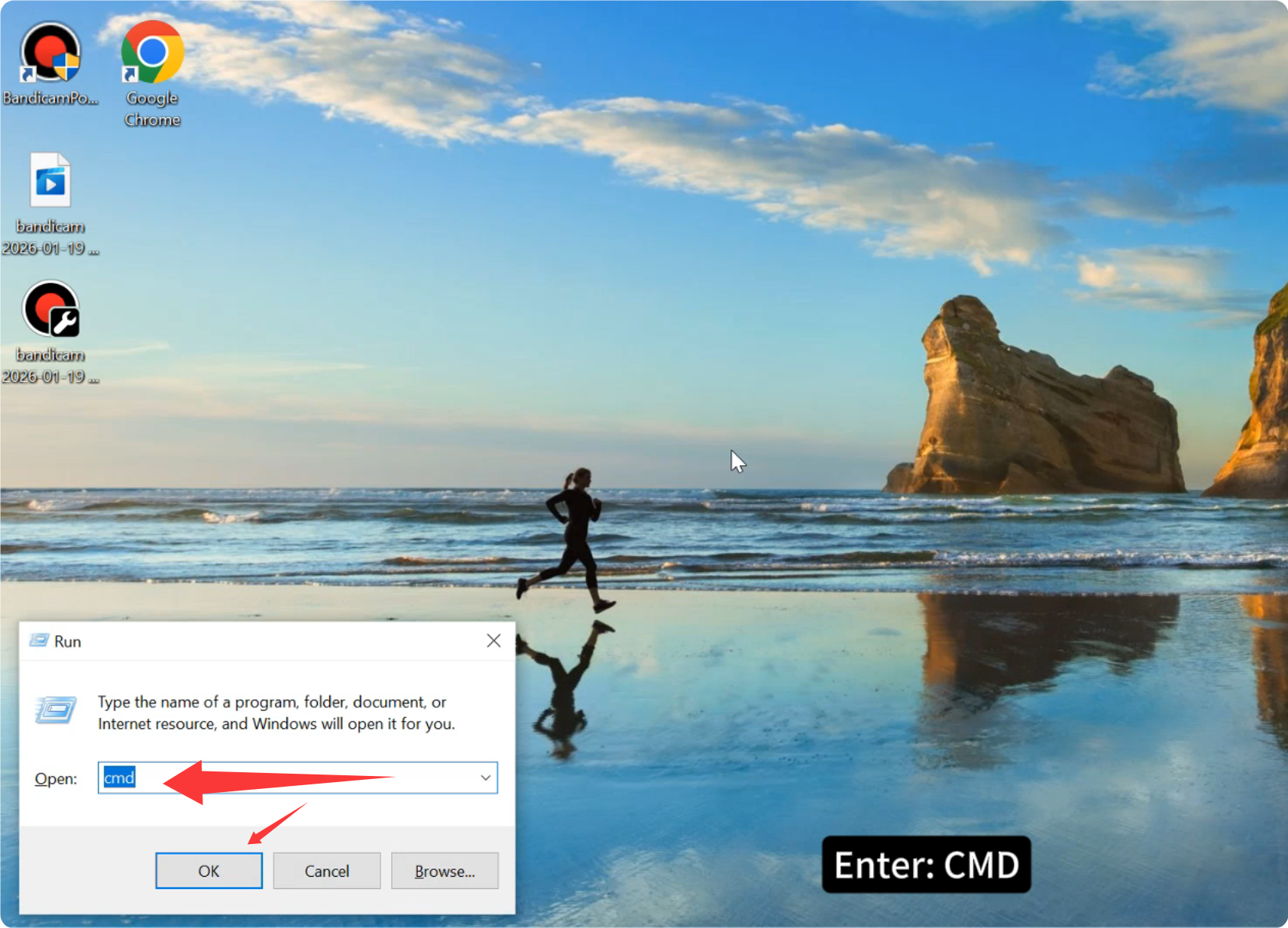
2. Press: Windows key + R

3. Enter: CMD
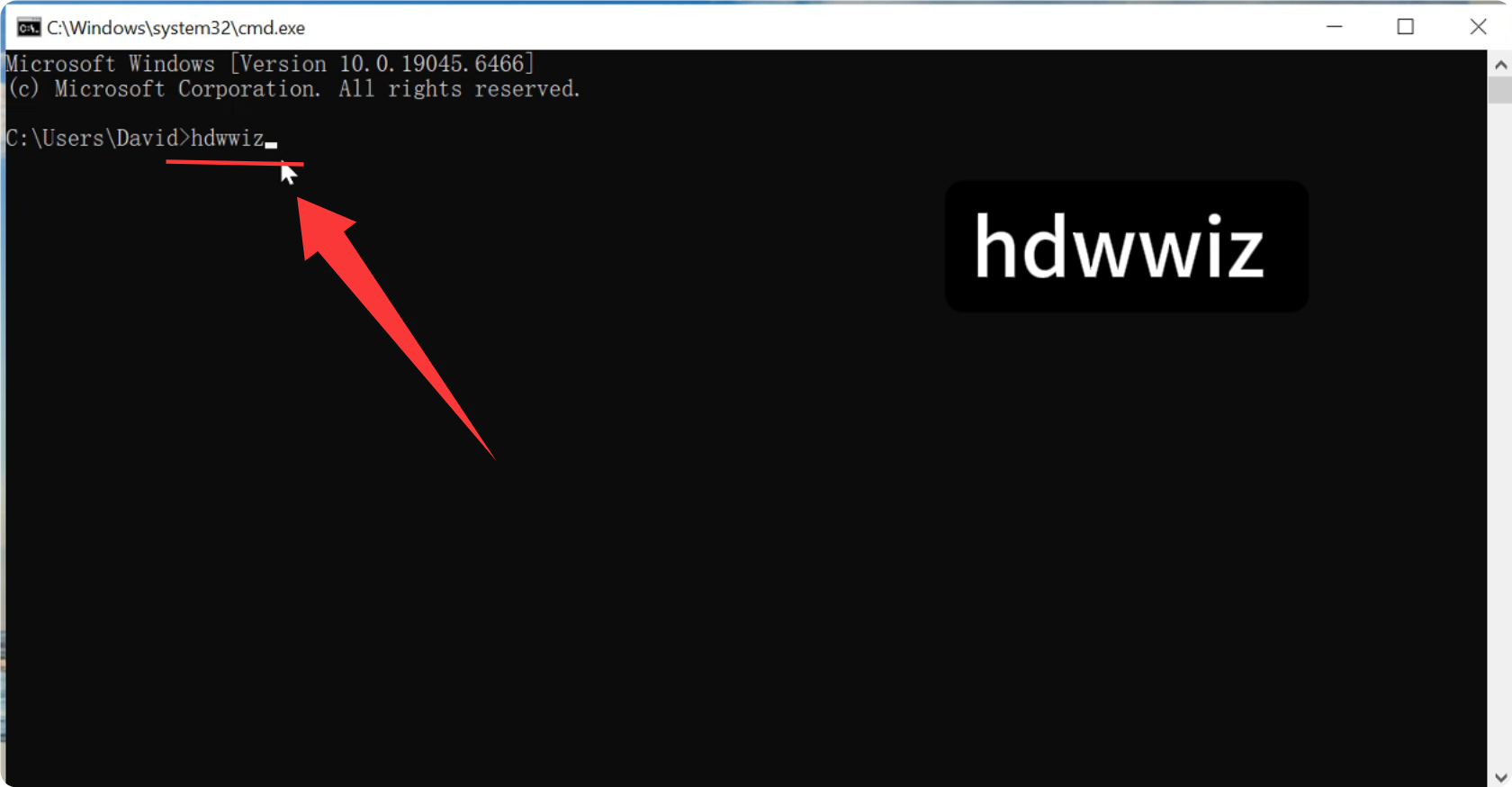
4. Then, enter the command in the command bar: hdwwiz
5. Press : Enter.
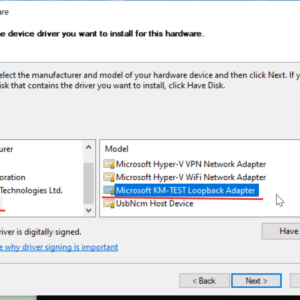
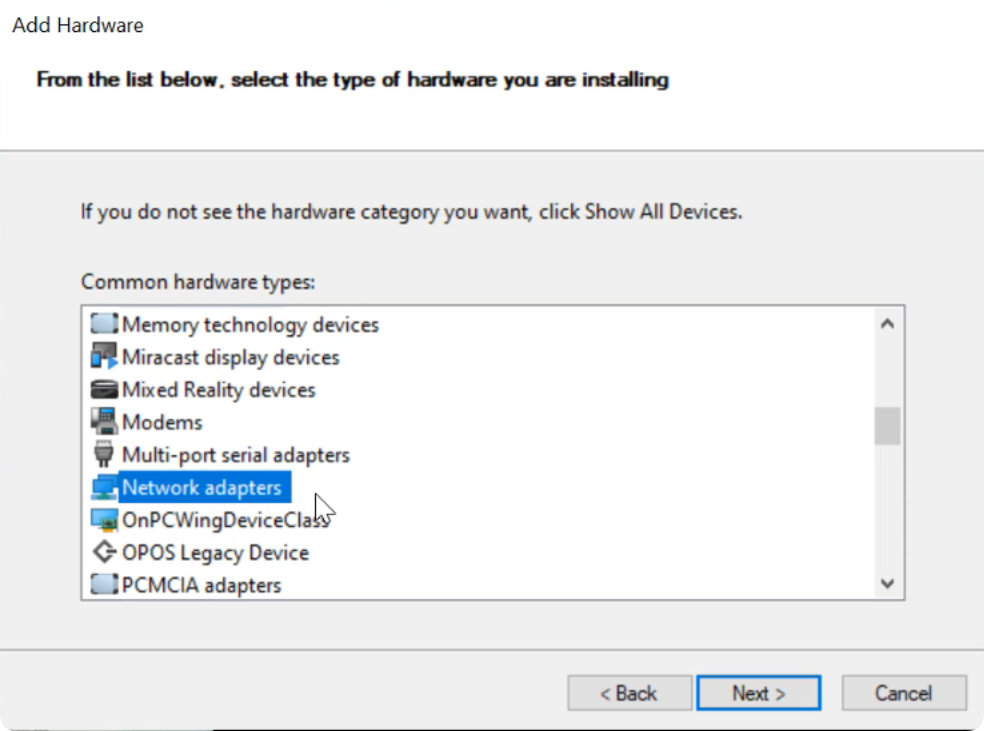
6. Select “Network Adapter” from the list.
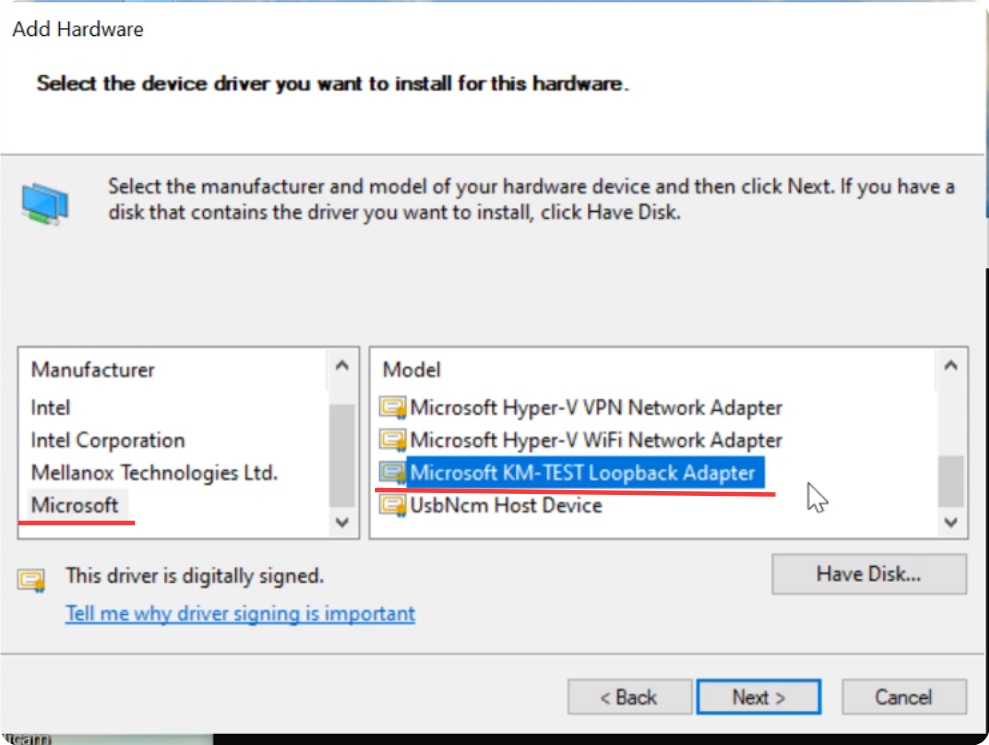
7. Select: Microsoft.
Then select: Microsoft KM-TEST Loopback Adapter
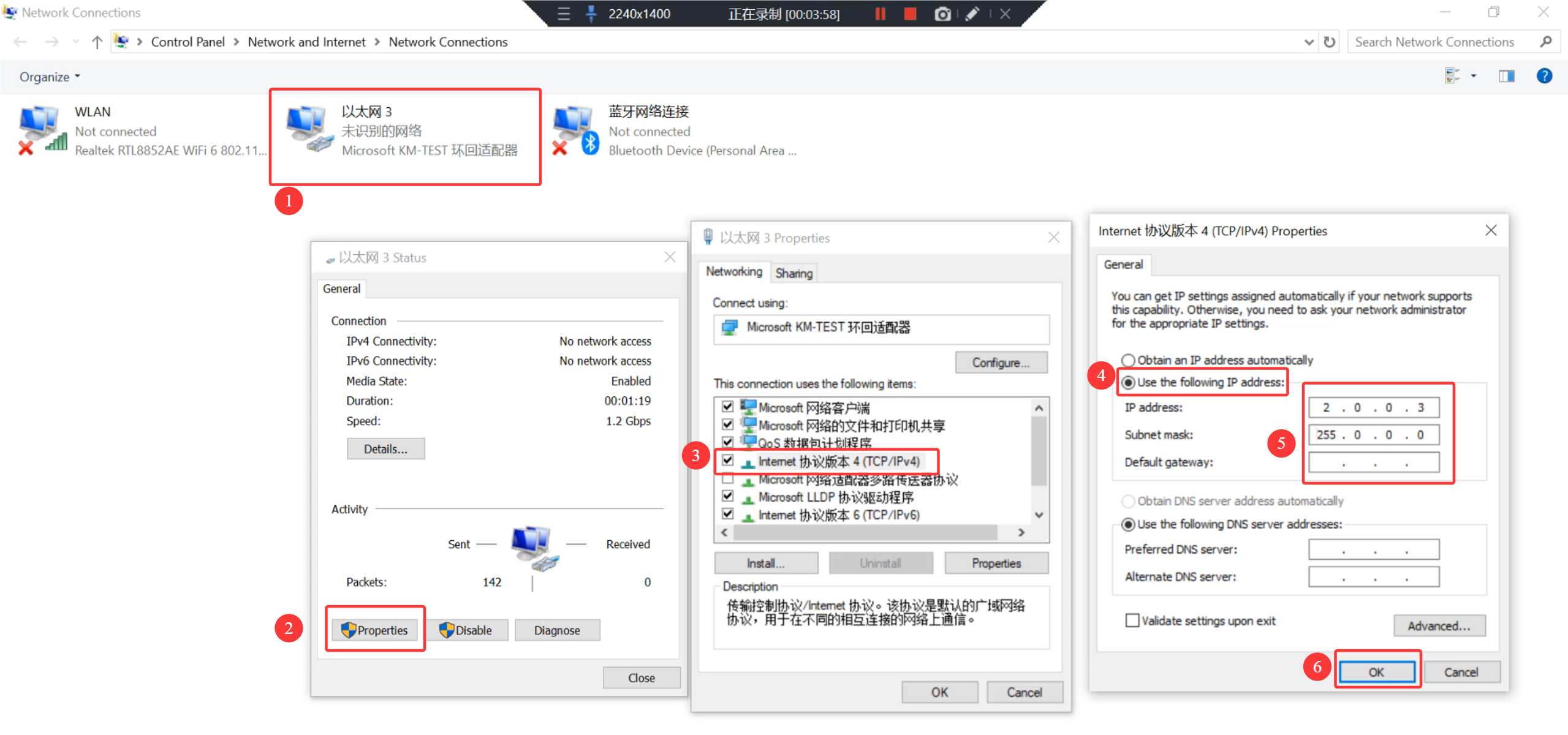
8. In Control Panel > Network and Internet > Network Connections, under Microsoft KM-TEST Loopback Adapter, set the IP address.
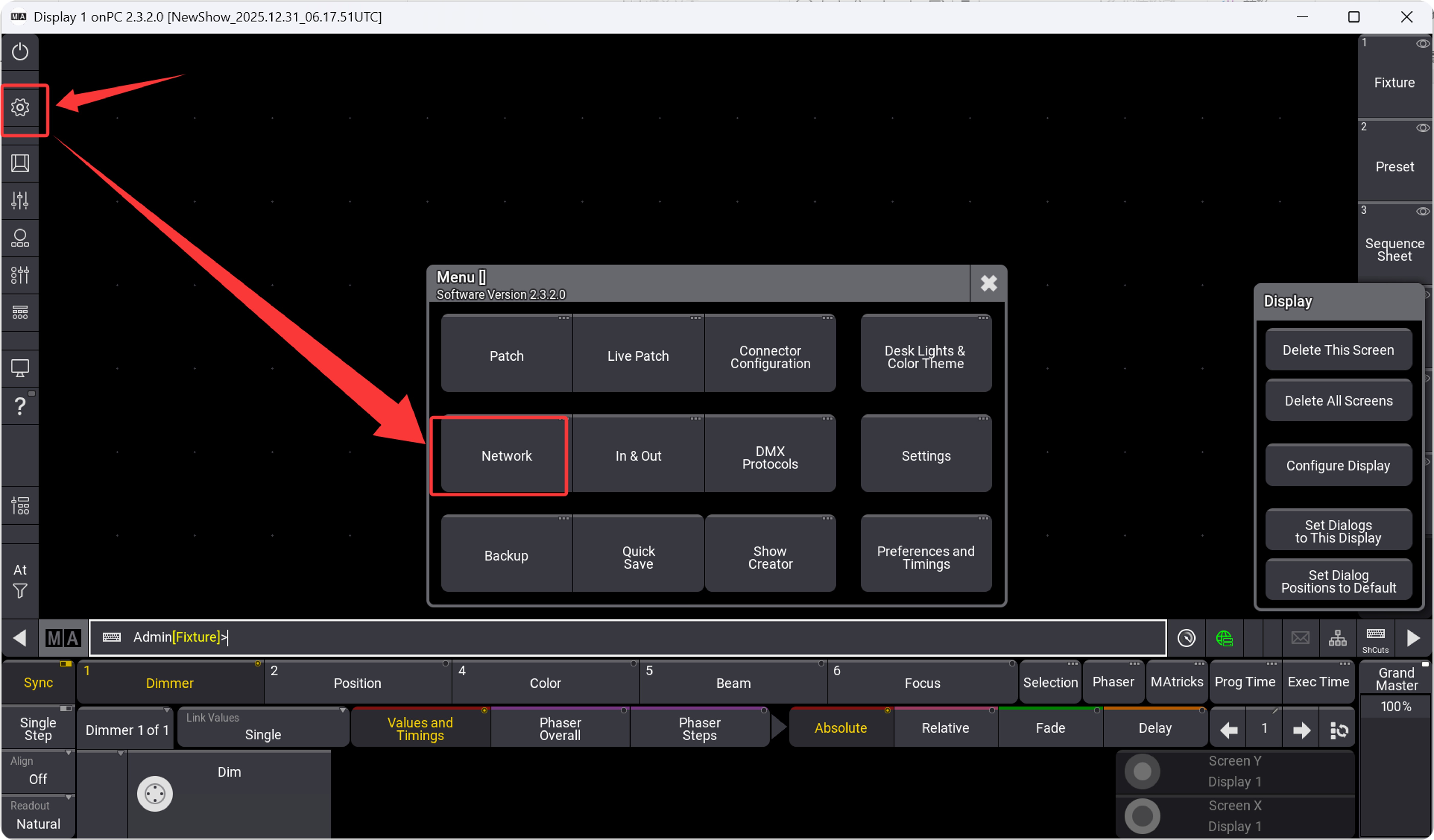
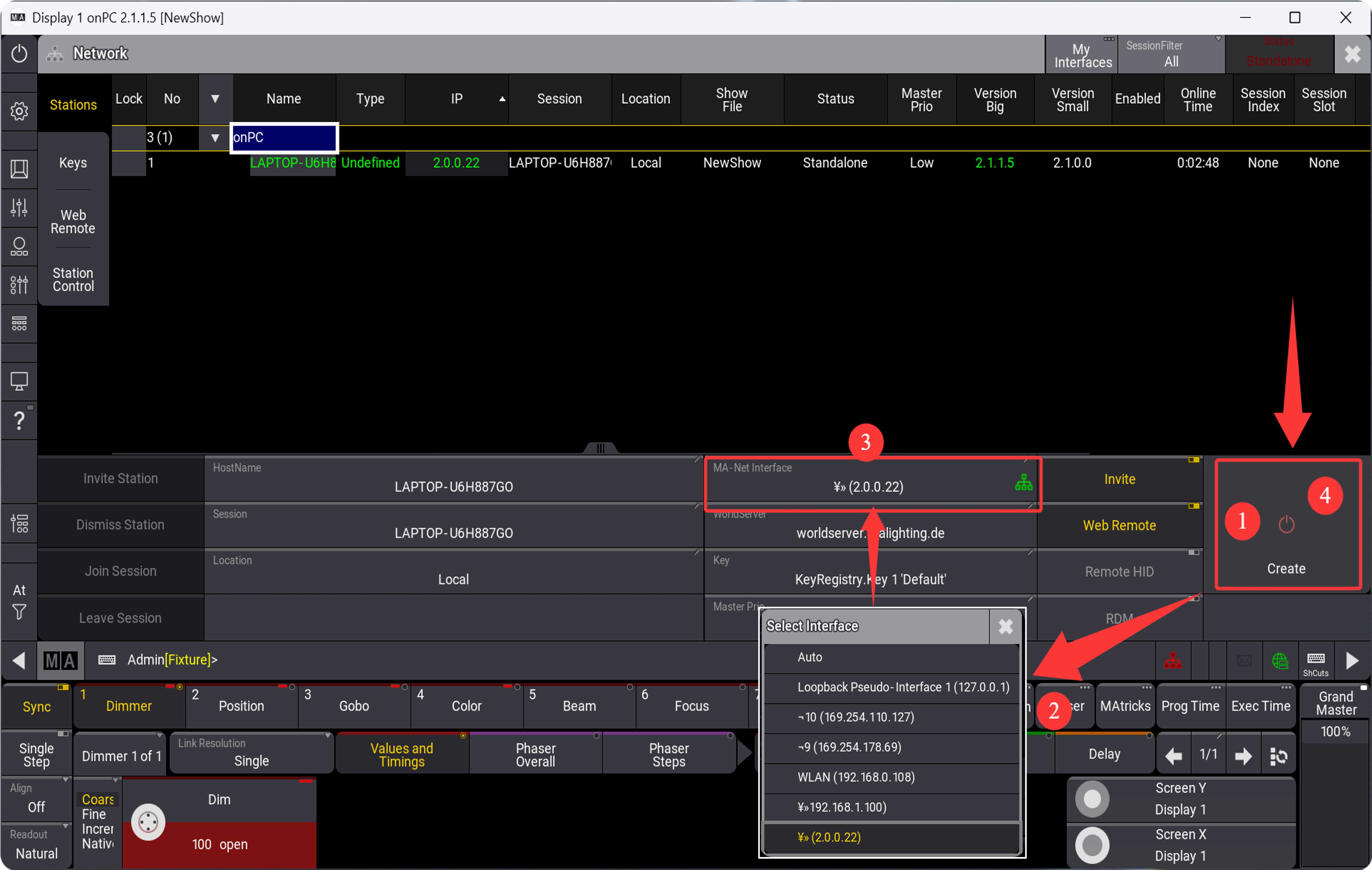
Open MA3onpc and set the IP address.
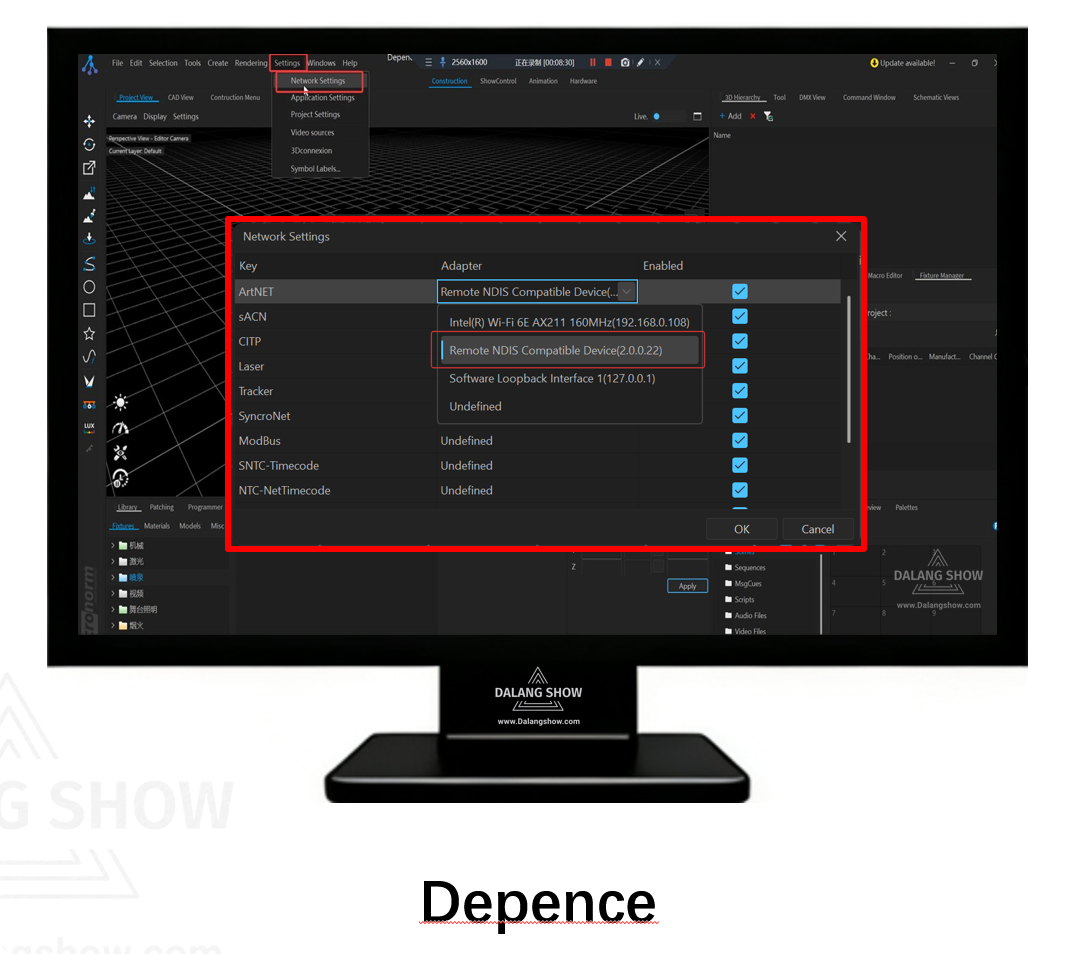
Open Depence
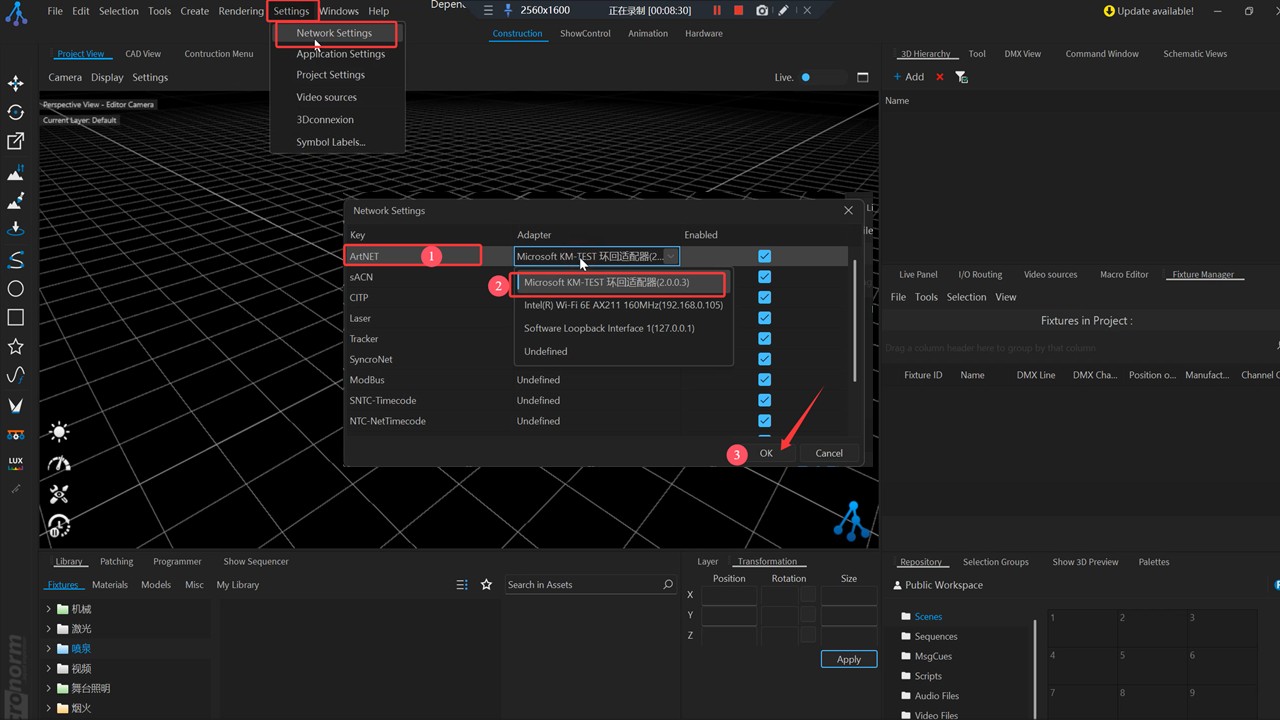
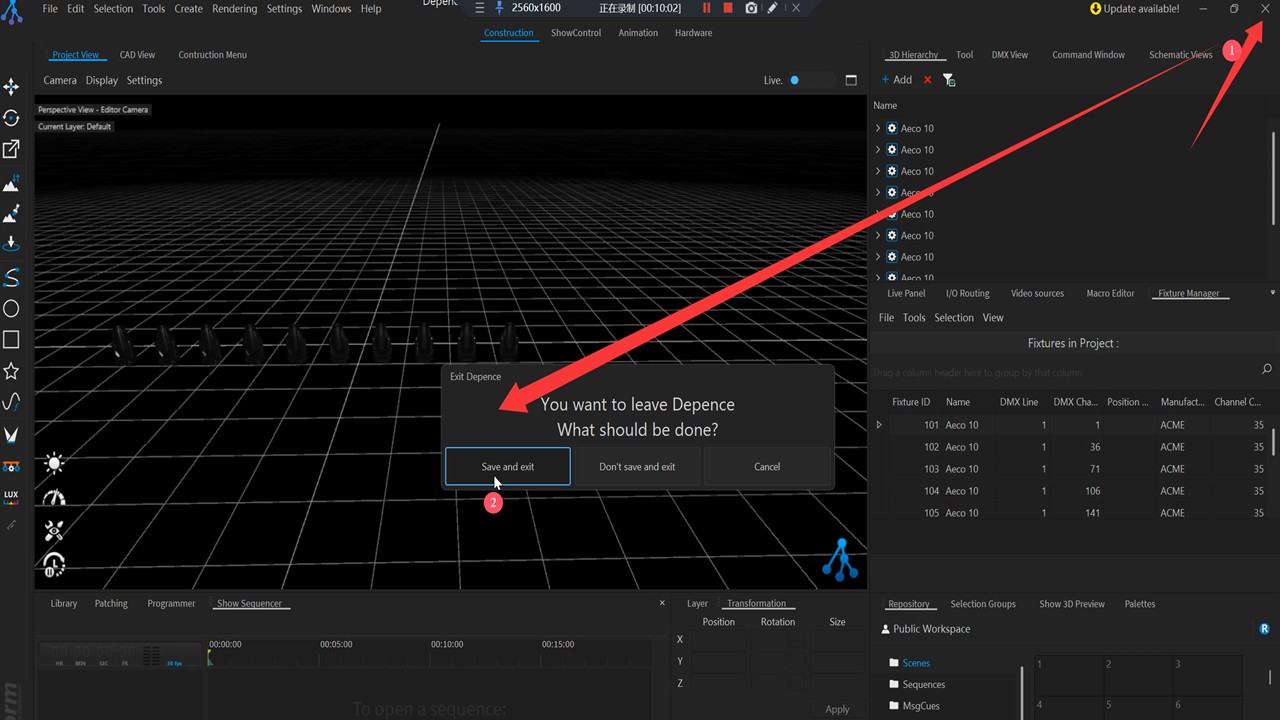
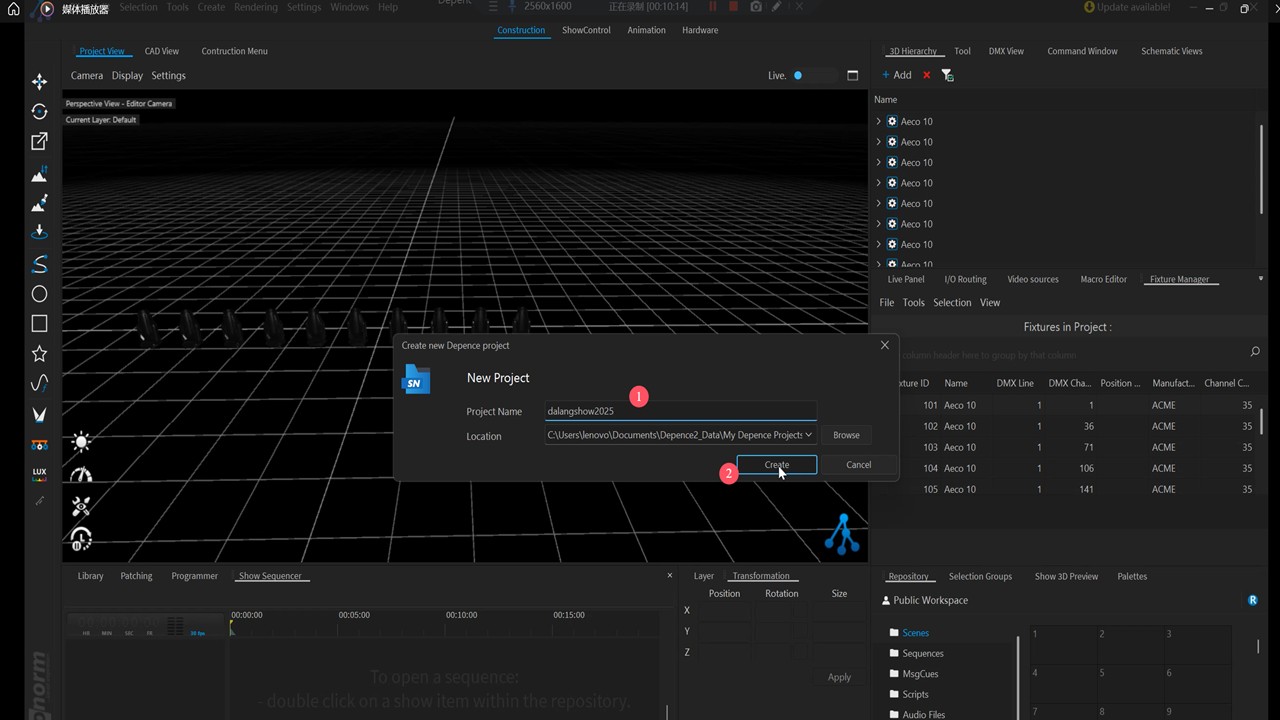
To clarify here, for software like Depence , after setting the IP,
you need to save and then restart the software for the IP to take effect.
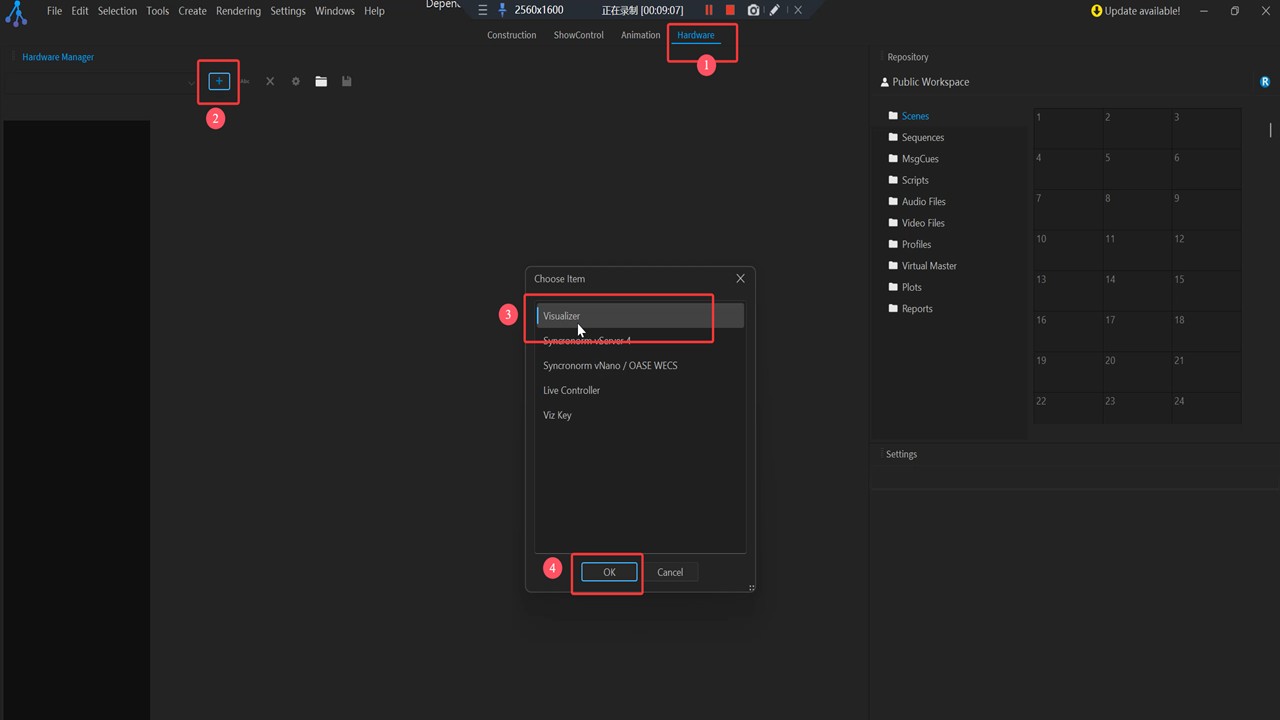
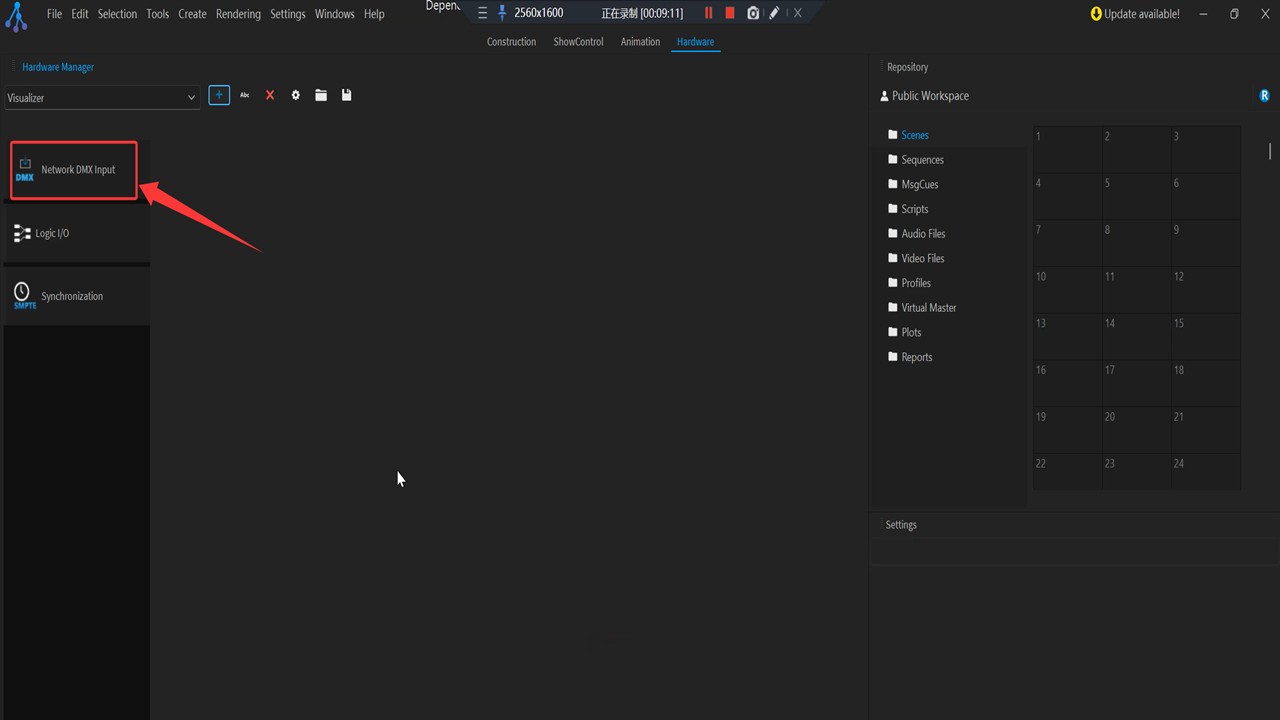
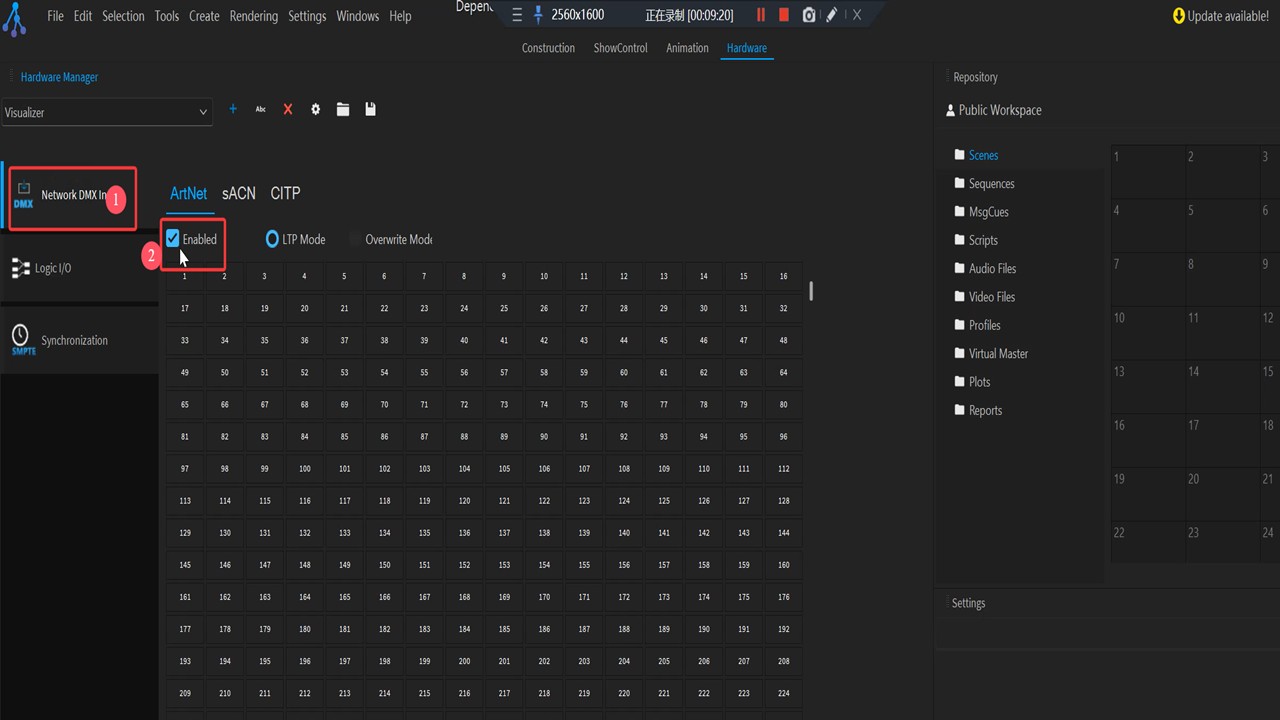
Enable: Network DMX Input
Assemble lighting fixtures
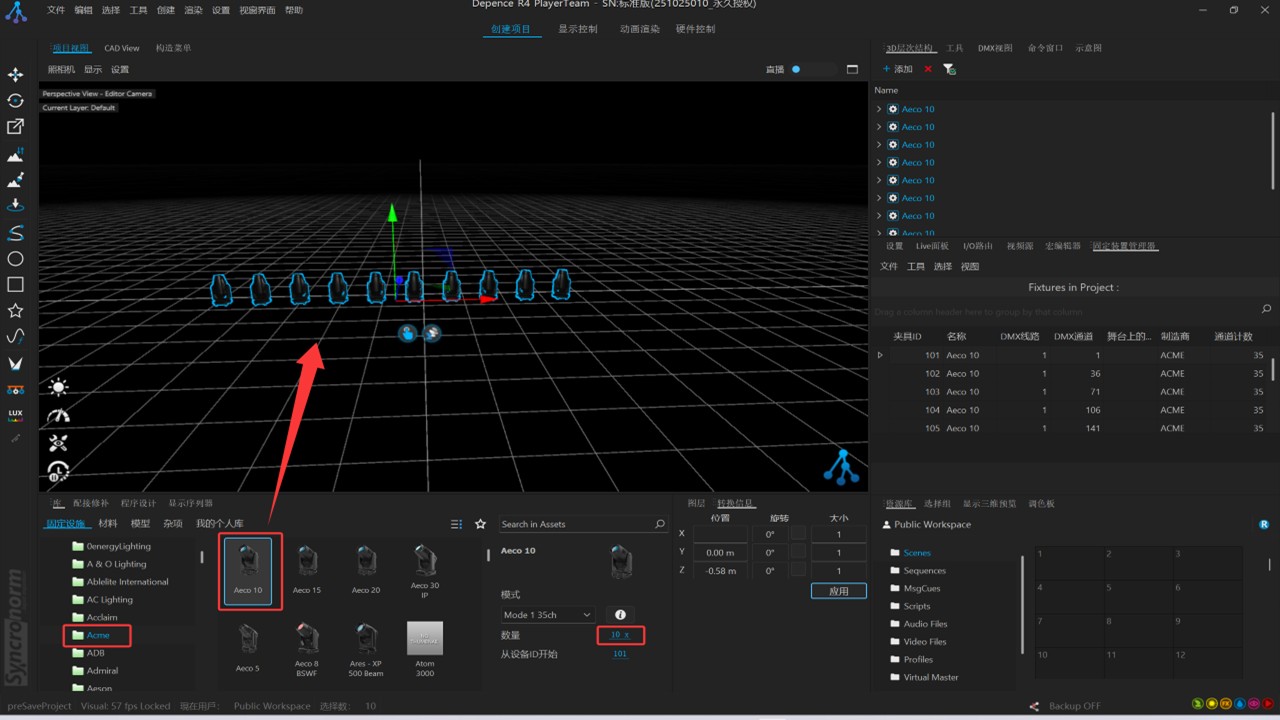
Close the software and then restart it.
( If you just changed the IP earlier and restarted the software, this step does not require a restart.)
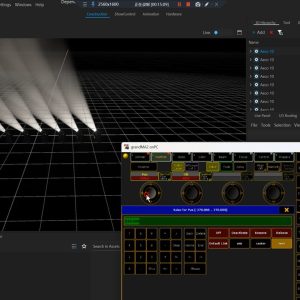
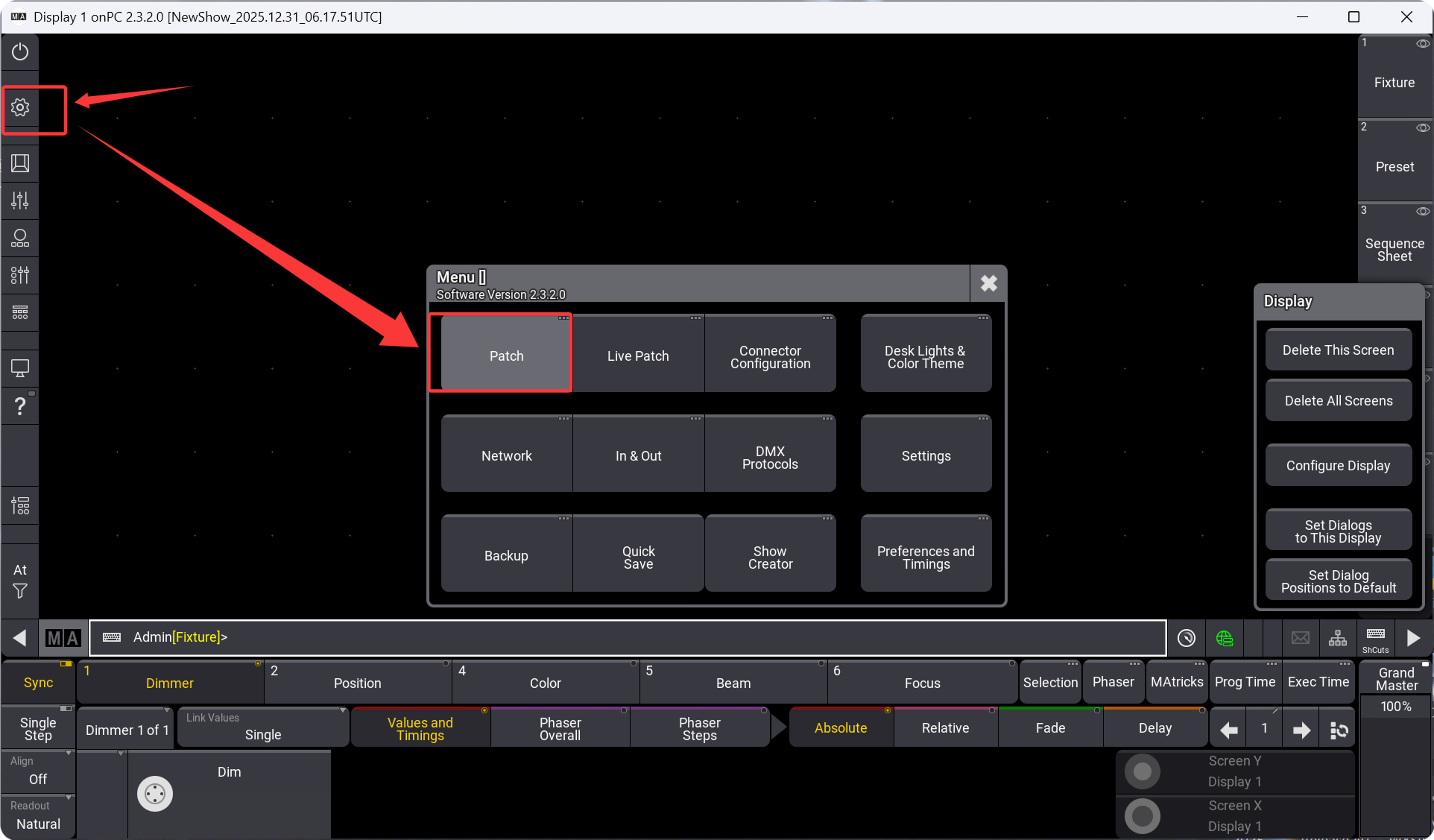
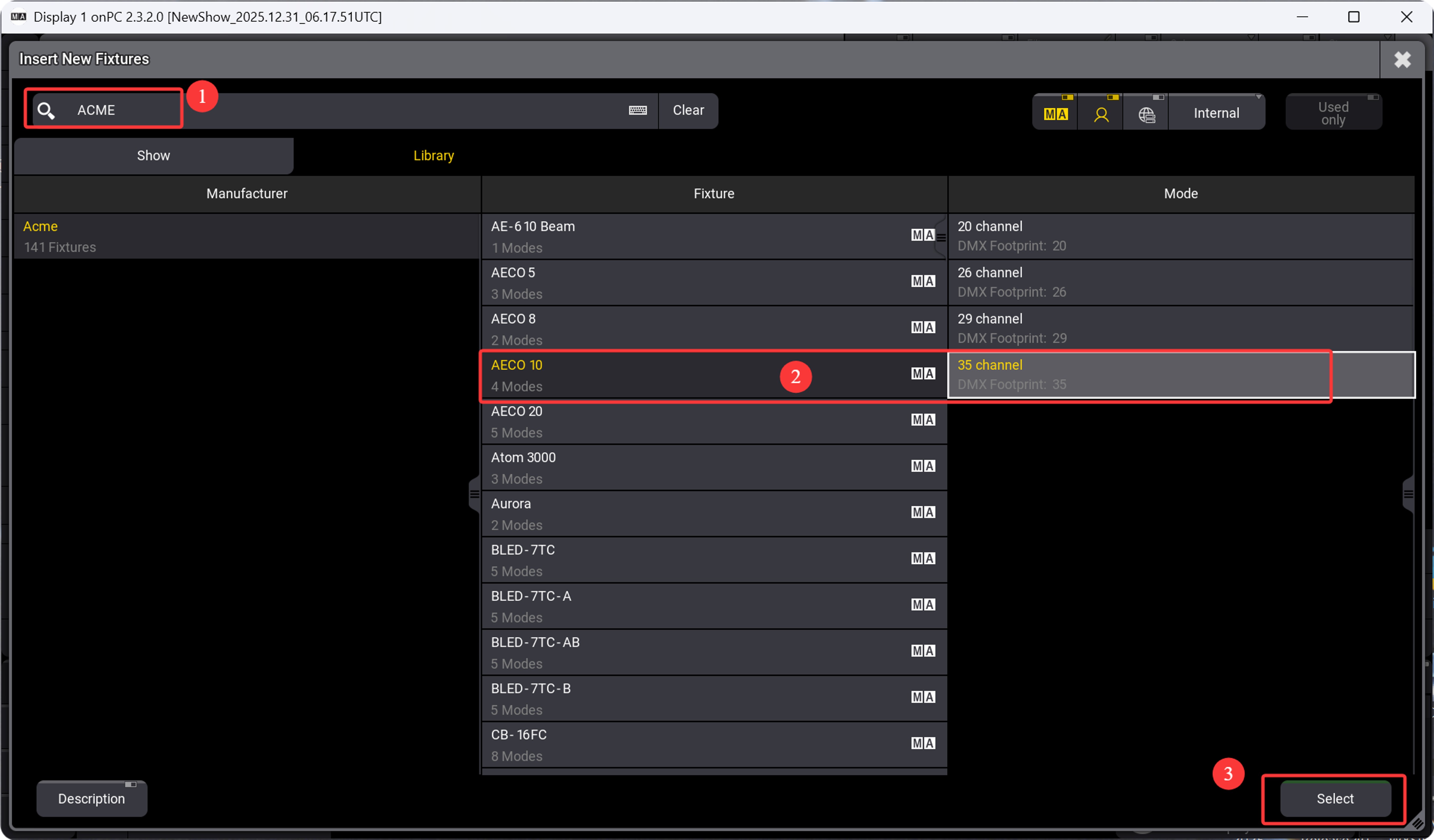
Open MA3 on PC and connect the lights.
Search for light fixture model
(I am now demonstrating with ACME lighting.)
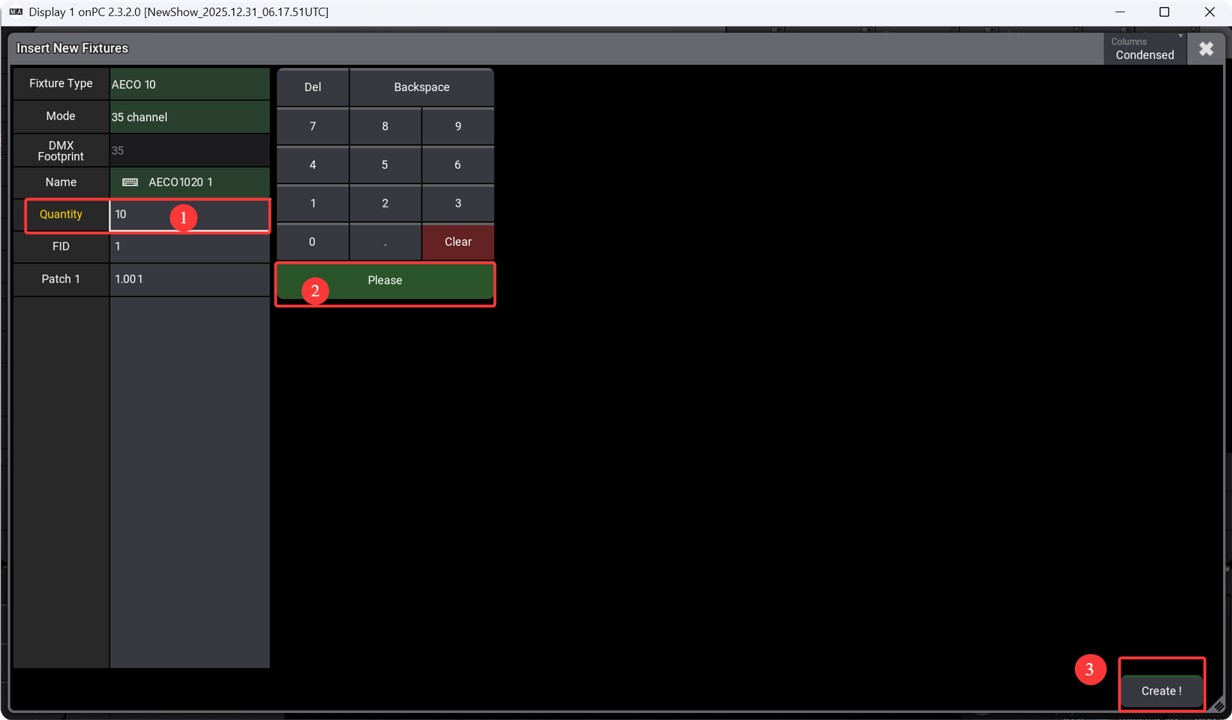
Set Quantity
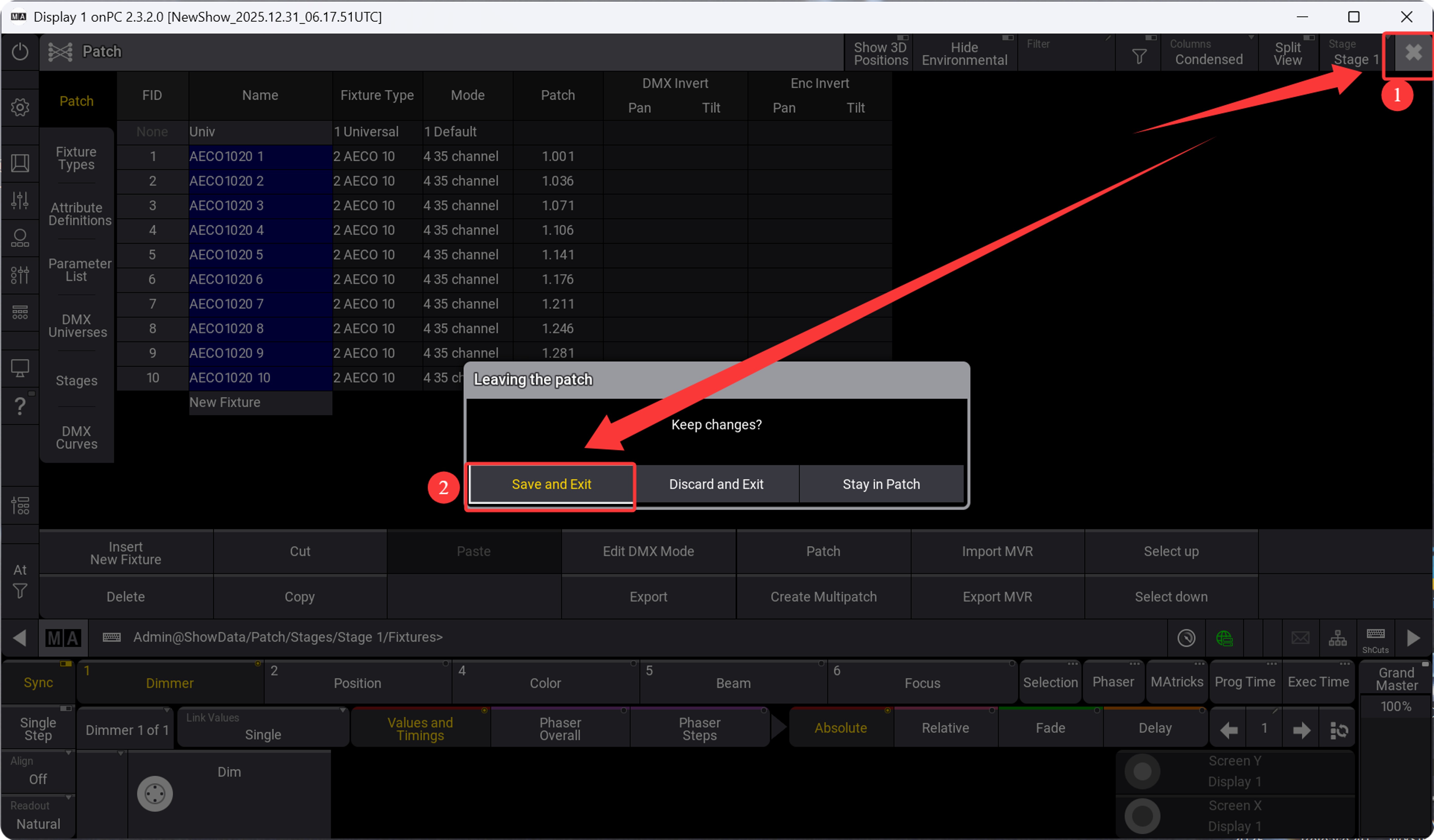
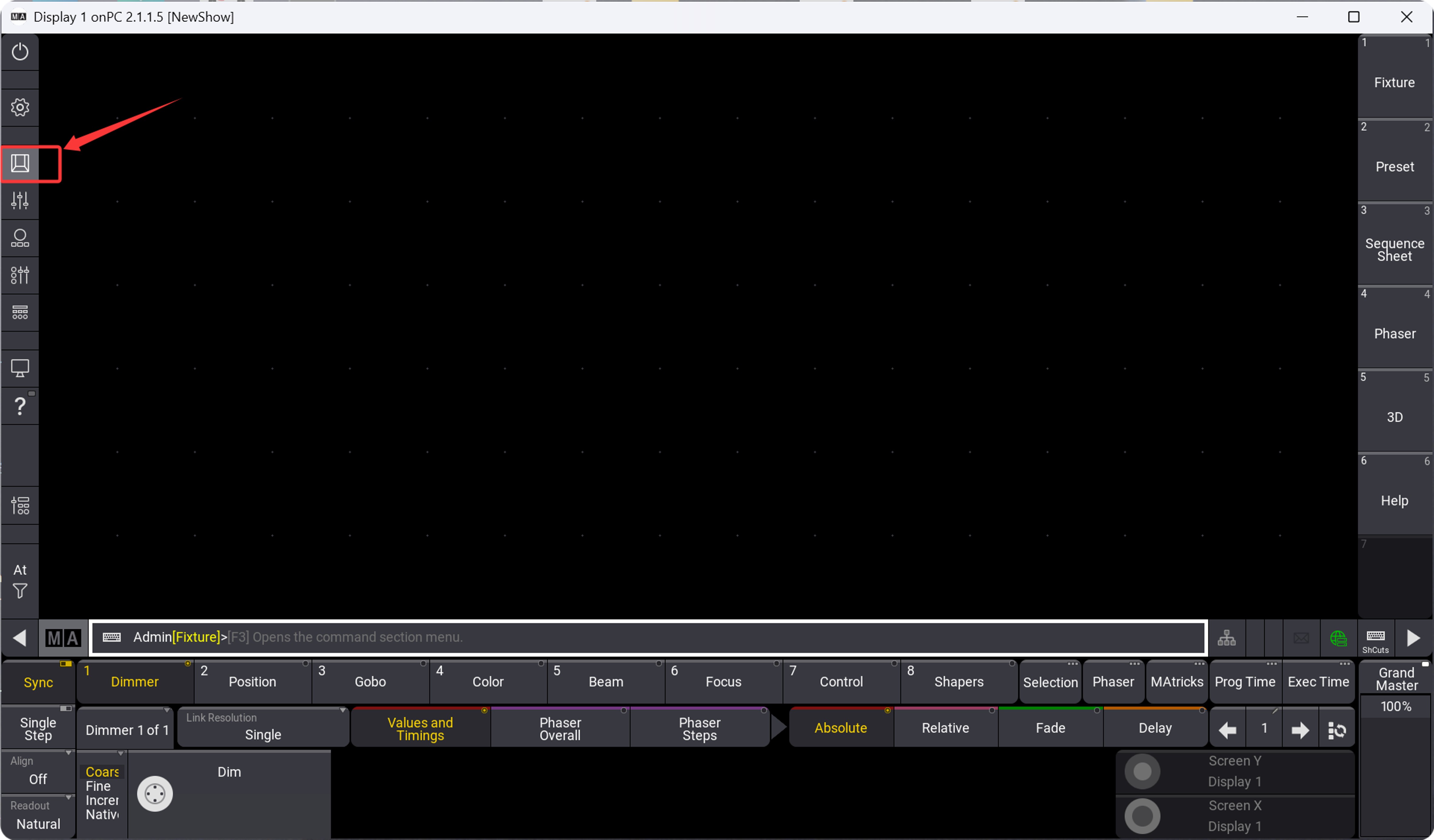
Open the interface
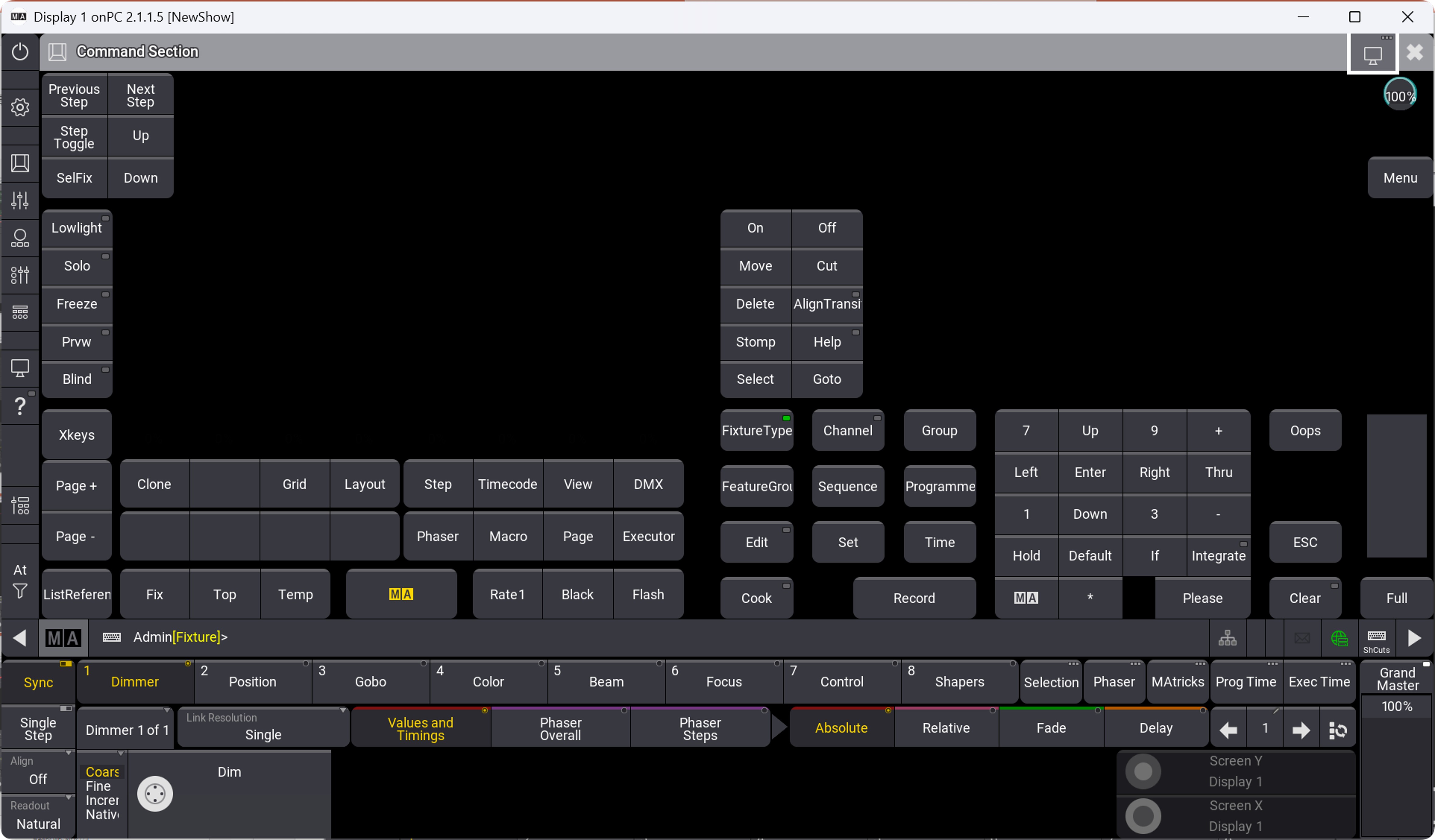
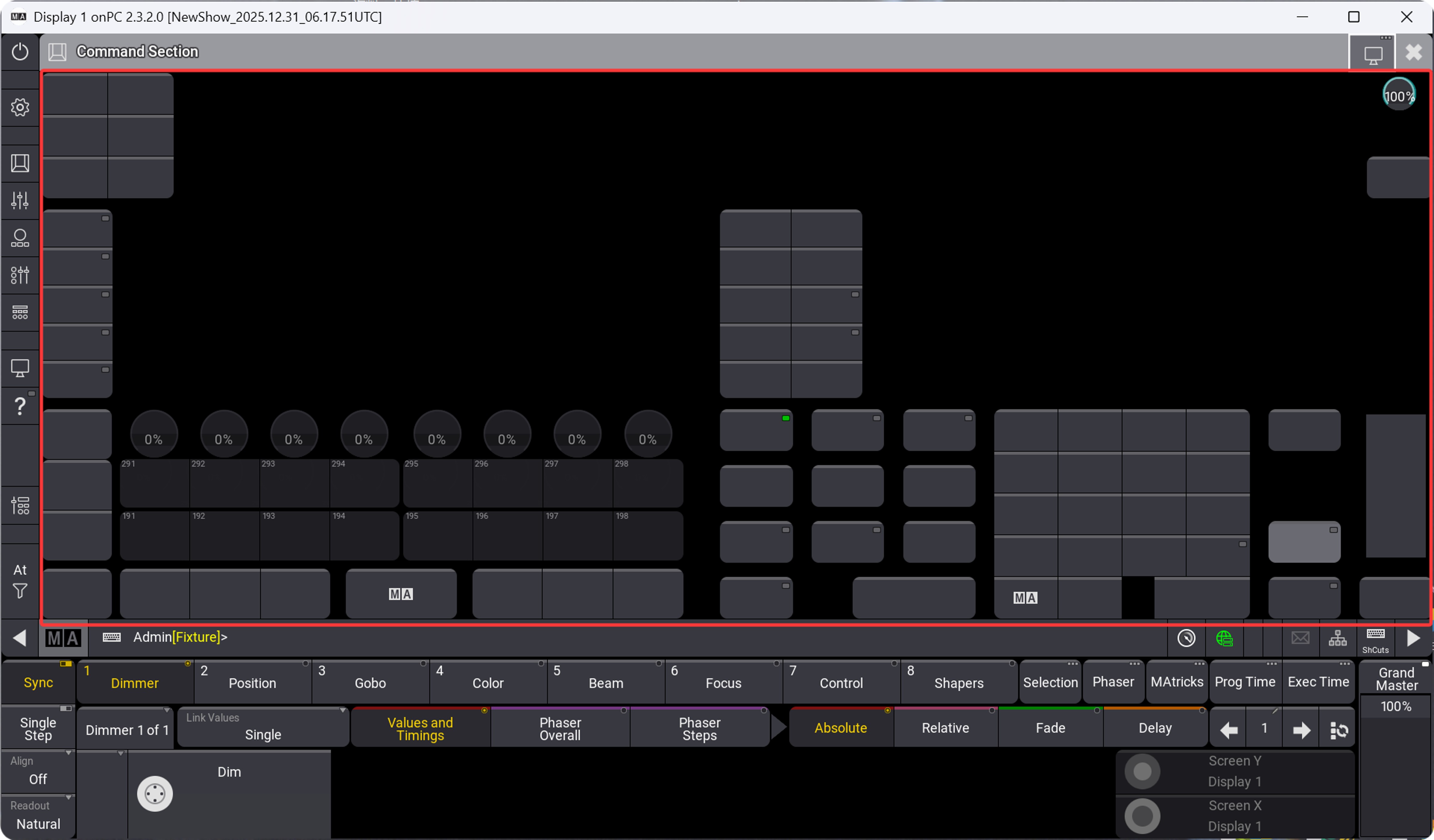
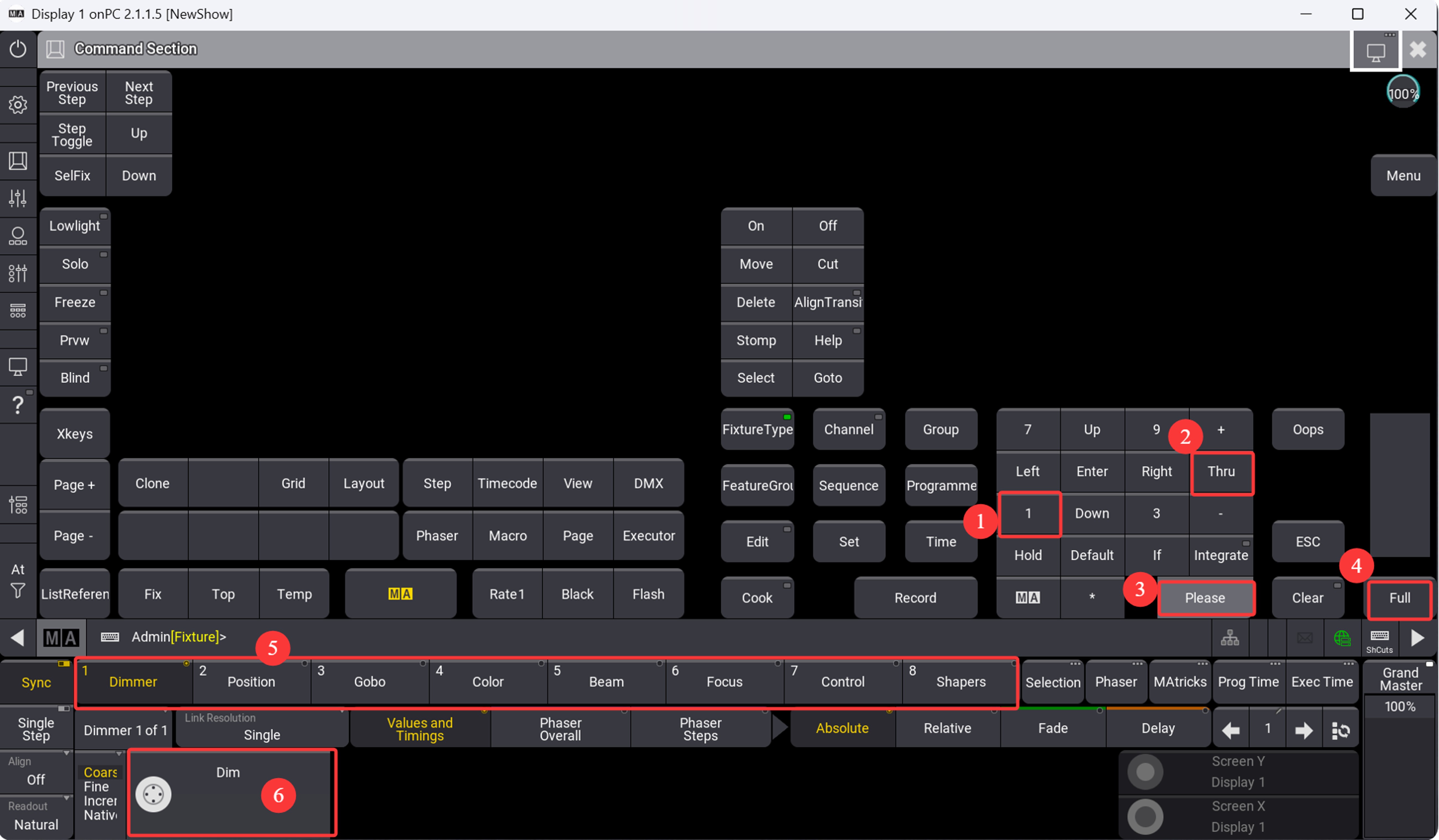
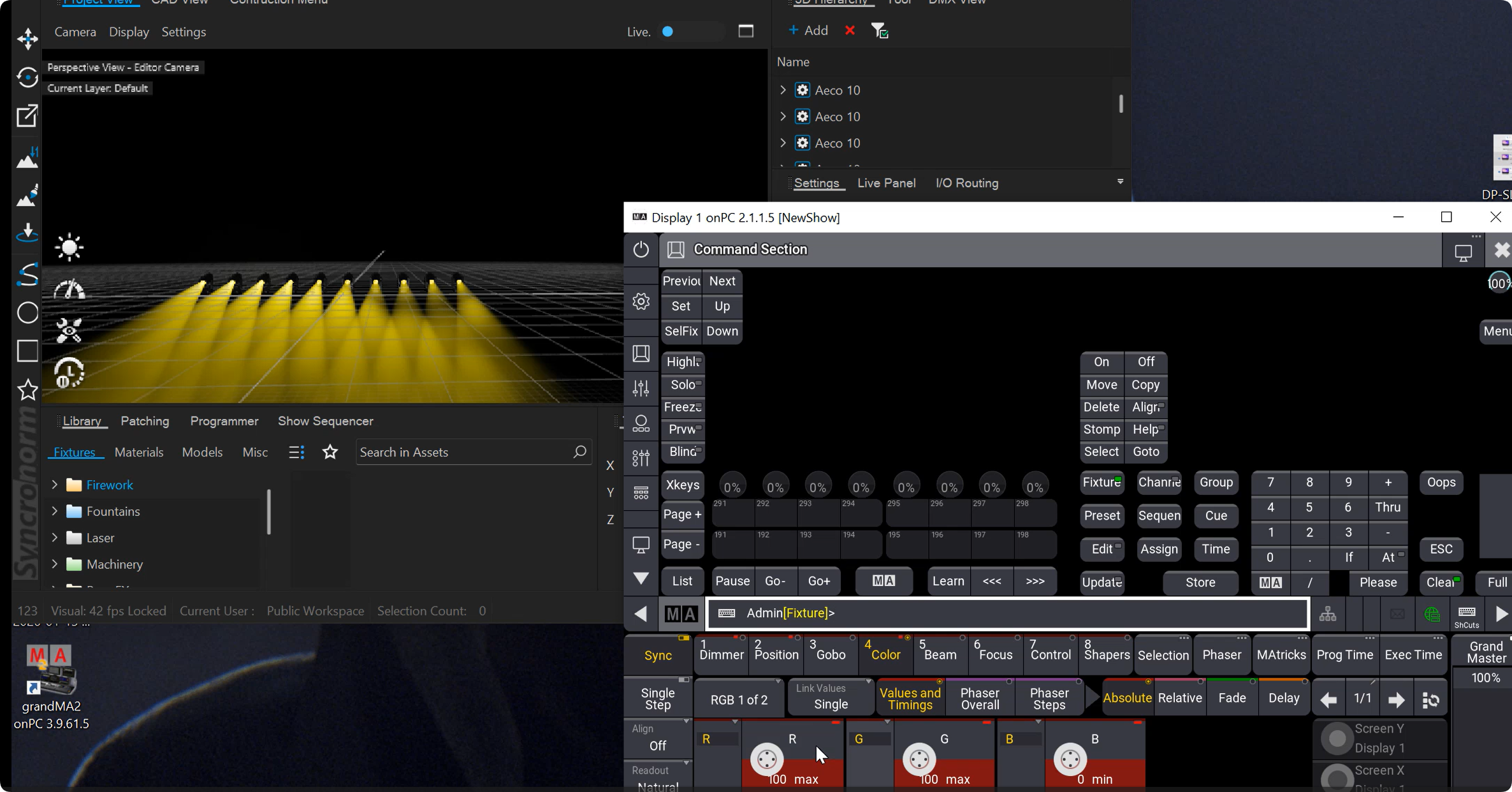
Output signal. Completed
Contact Information:
For better communication, you can reach us via:
- Mobile & WhatsApp: +86 13437848416
- WhatsApp: Click here to contact us
- You can contact us via WhatsApp to let us know your needs, or leave your comments, and we will reply to your messages promptly.