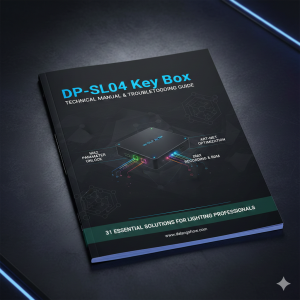
DP-SL04 Key Box – grandMA3 onPC plug-in Download

DP-SL04 Key Box – grandMA3 onPC plug-in Download
New unlock 64 universe Download – add sACN out
(Click the link below to download and install the package)
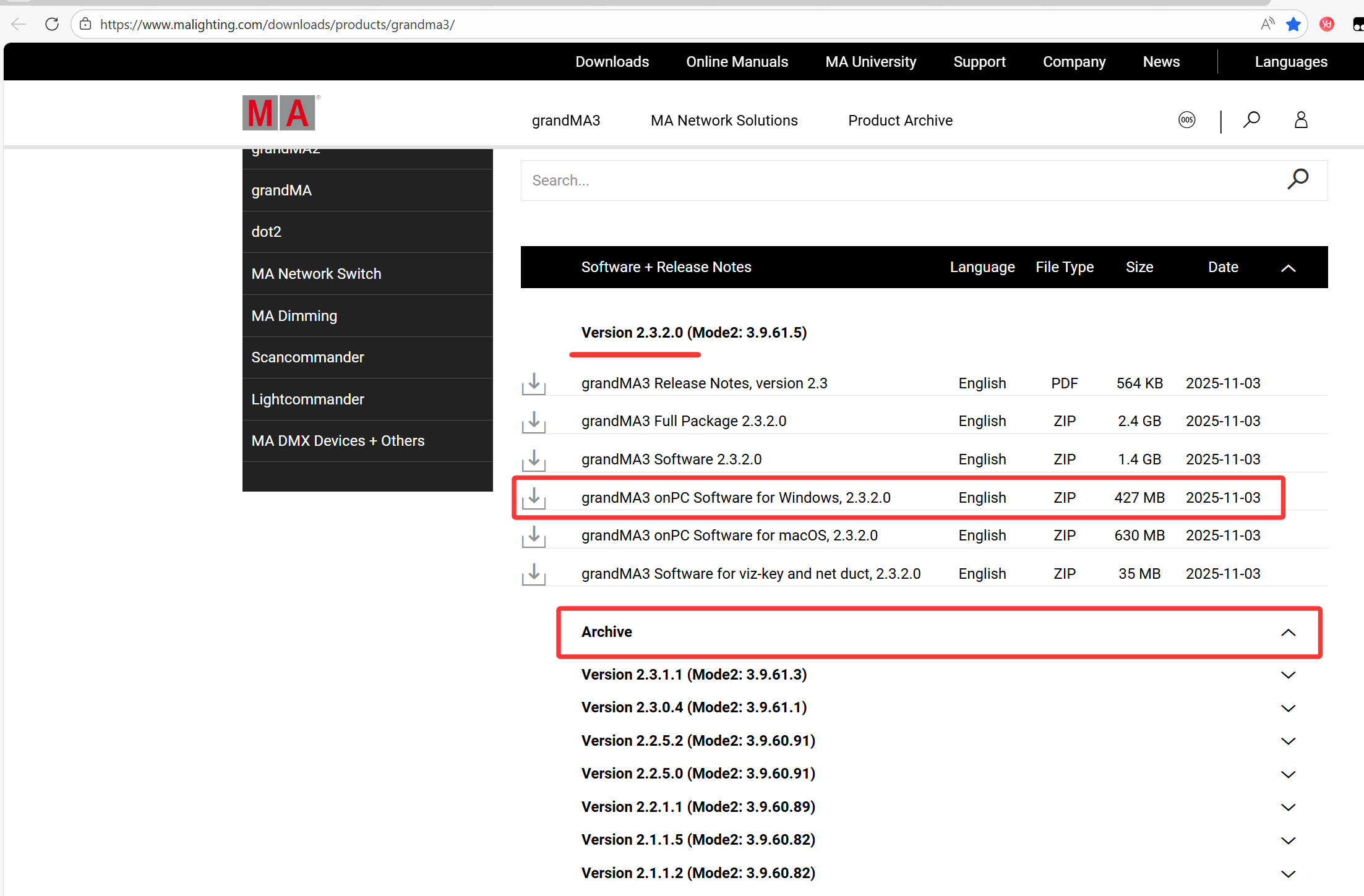
- MA3 2.3.2.0 ( last version, 2025-11-30)
- MA3 2.3.1.1 (2025-11-30)
- MA3 2.3.0.4 (2025-11-30)
- MA3 2.2.5.2 (2025-11-30)
- MA3 2.2.5.0 (2025-11-30)
- MA3 2.1.1.5 (2025-11-30)
2. MA3 onPC Support
-
Parameter Unlocking
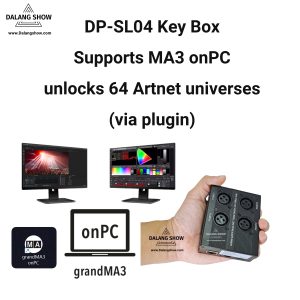
Through the included plugin, the DP-SL04 unlocks 64 parameters in MA3 onPC
(equivalent to 64 DMX universes). -
Ongoing Updates
We provide periodic plugin updates to maintain compatibility with the latest MA3 onPC software versions.
Users can simply update the plugin to ensure continued support for new releases.
- “Download the grandMA3 onPC software for Windows that corresponds to your MA3 plugin version.”
🎞️grandMA3 onPC plug-in Installation Tutorial Video:
-
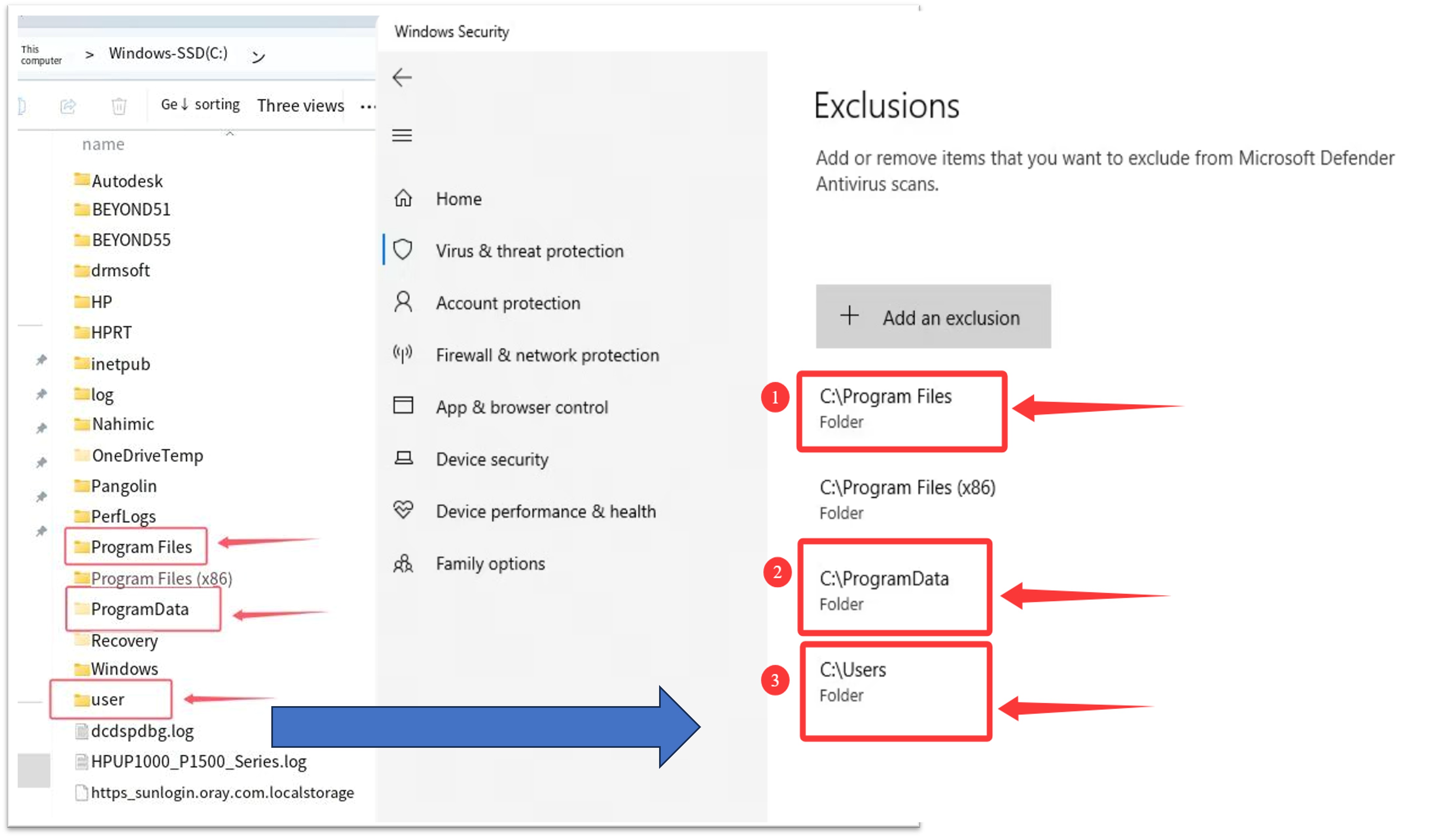
Temporarily disable your antivirus software before installation (right-clicking its system tray icon usually offers a “Turn off protection temporarily” option). -
In your antivirus settings, find the “Trusted Zone”, “Exclusions”, or “Whitelist” feature. -
Add the following three key system folders as trusted paths: -
C:\Program Files -
C:\ProgramData -
C:\Users(On some language systems, this folder might be named “Utilisateurs,” etc.)
-
-
After adding them, re-enable your antivirus. You can now install and use our software normally. ✅
Tip: Whitelisting specific folders instead of disabling your antivirus entirely helps keep your computer safe from real viruses that might come from websites or other unverified software. 🧠
🛠️ DP-SL04 Key Box: grandMA3 onPC First-Time Activation Install software & Setup IP Guide
This guide is for users setting up the grandMA3 onPC software on a new computer for the first time to unlock 64 DMX Universes.
Step 1: Generate the Activation Key (Fake Key)
Before running the grandMA3 software, you must use the activation tool to authorize your hardware.
-
Connect Hardware: Plug the DP-SL04 Key Box into your computer’s USB port.
-
Internet Connection: Ensure your computer is connected to the internet (required for the activation process).
-
Run Activation Tool:
-
Locate and run
Make MA3 Fake Key V1.8.exe. -
Note: The tool supports multiple languages and will automatically match your system’s language settings.
-
-
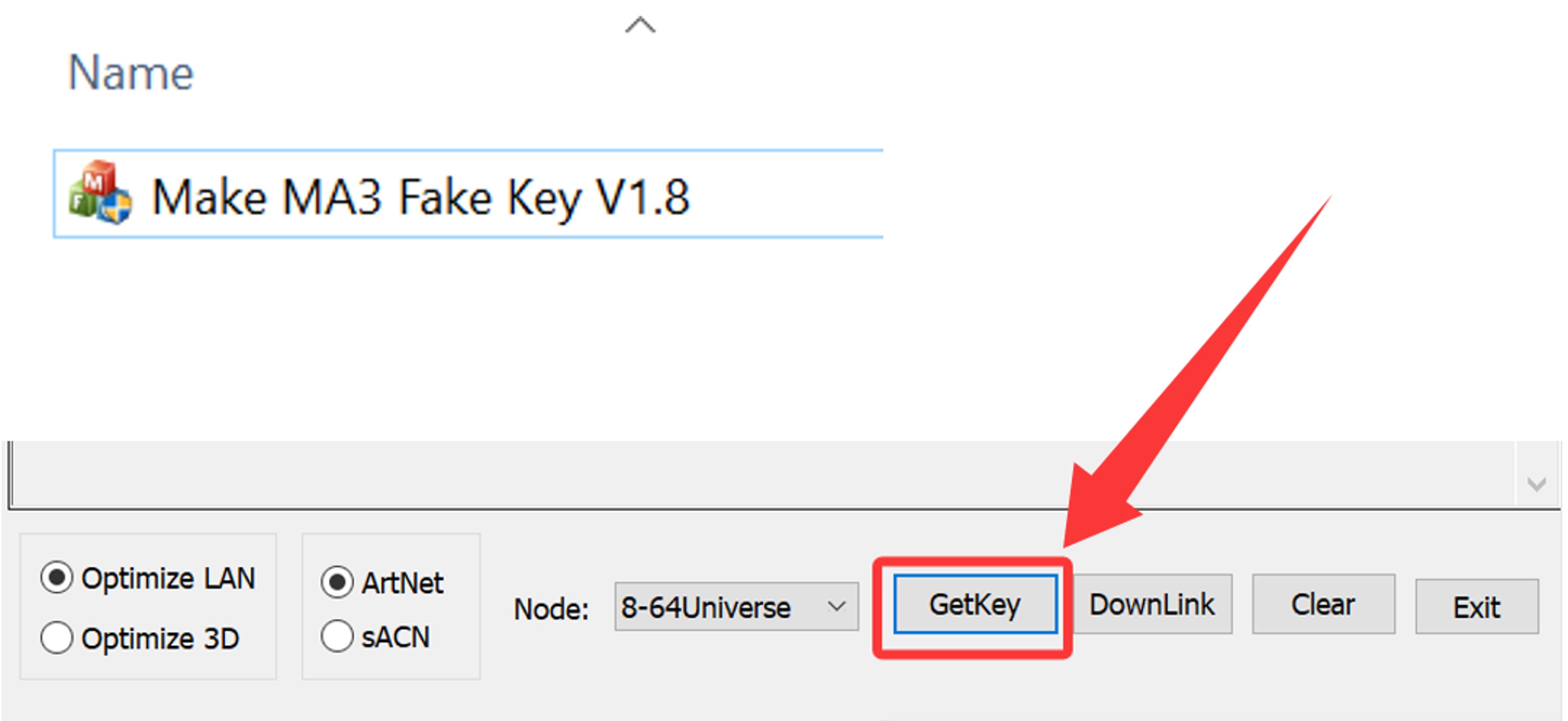
Generate Key:
-
Click the [GetKey] button.
-
The program will automatically generate and register the MA3FakeKey on your system.
-
Note: This is a one-time process for this specific computer. You will not need to repeat this step in the future unless you switch to a different PC or need to apply a specific bug-fix update.
💡 Key Reminders
-
New PC Setup: If your new computer hasn’t gone through ” Step 1 ” to generate a key on the computer, then you must do this step. It will generate a fake MA3 key on your computer, so that we can use MA3 on PC normally.
-
Daily Use: For daily operation, simply connect the DP-SL04 Key Box and launch the grandMA3 onPC software directly.

Step 2: Software Installation & Plugin Setup
-
Install Software: Run the official grandMA3 onPC installer.
-
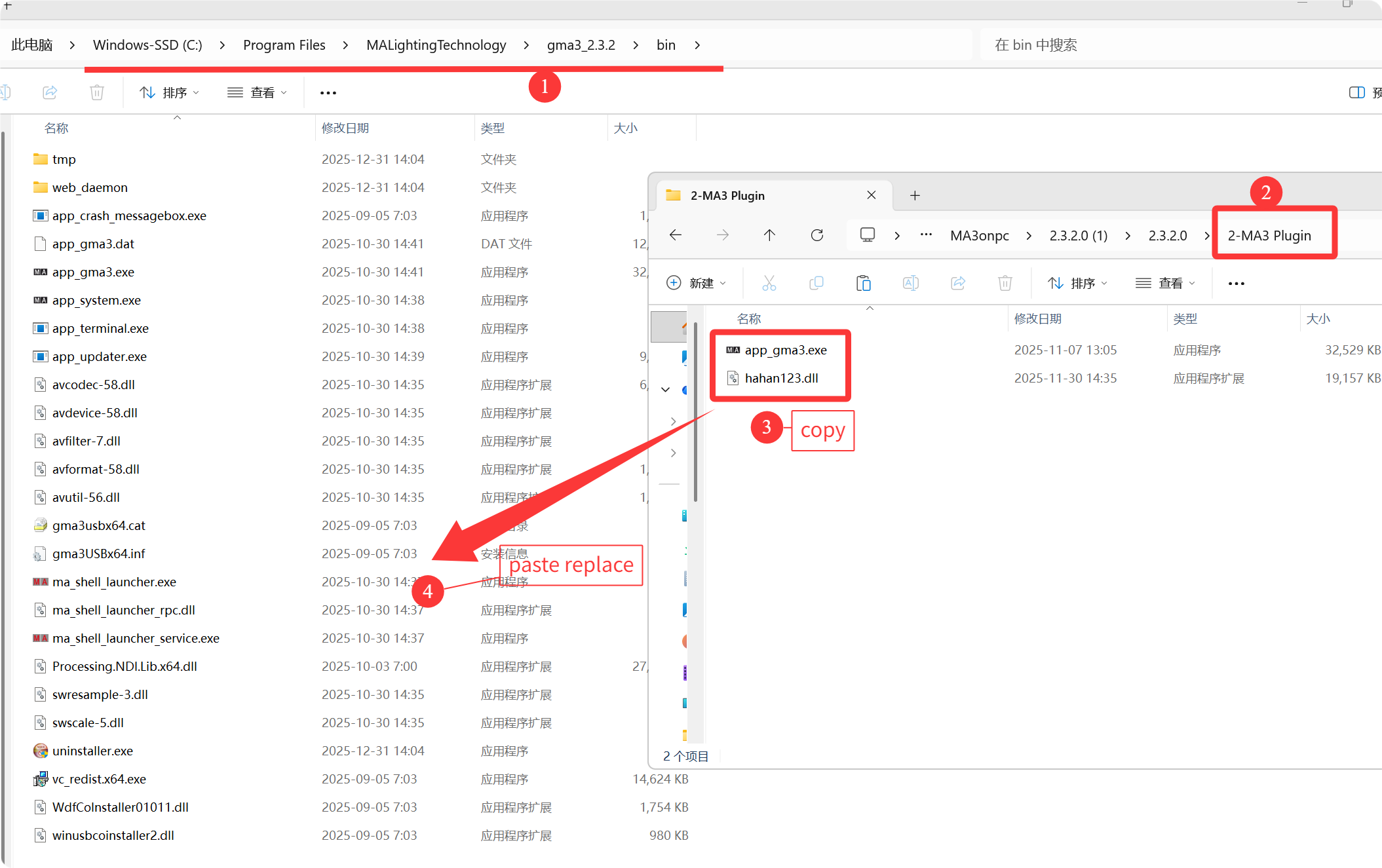
Copy Plugins: Locate the two provided plugin files and copy them to the installation directory:
-
Path:
C:\Program Files\MALightingTechnology\gma3_2.1.1\bin
-
-
Replace Executable: Paste the modified
app_gma3.exeinto the folder.-
⚠️ Tip: We strongly recommend backing up the original
app_gma3.exebefore overwriting it.
-
Step 3: Launch & Network Configuration
-
Launch: Open grandMA3 onPC. The software should now show 64 DMX Universes unlocked.
-
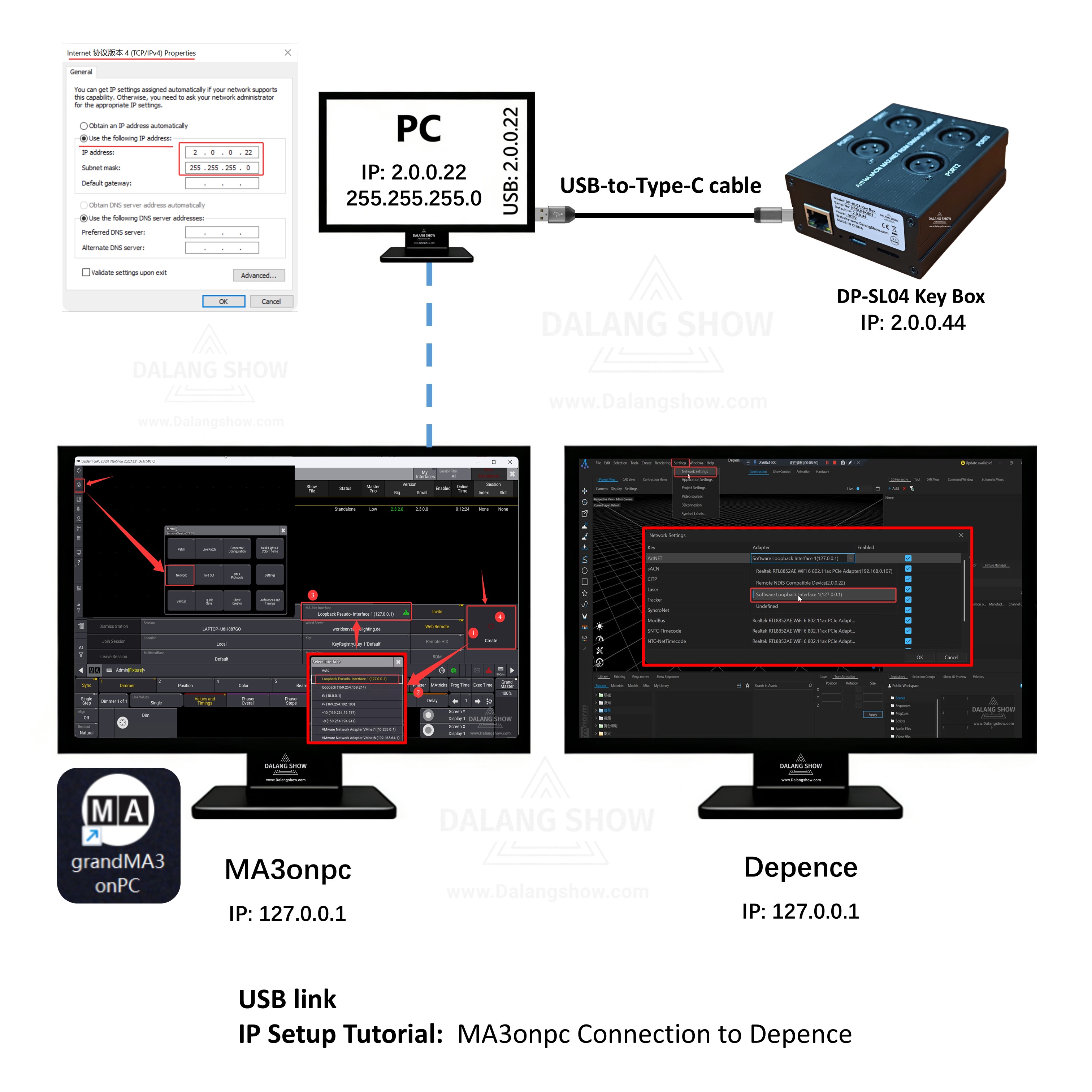
Session Settings: When selecting a session IP, always use 127.0.0.1 (Loopback). Avoid using the physical network interface IP to ensure optimal compatibility and stability.
🎞️USB link
IP Setup Tutorial: MA3onpc Connection to Depence Tutorial Video:
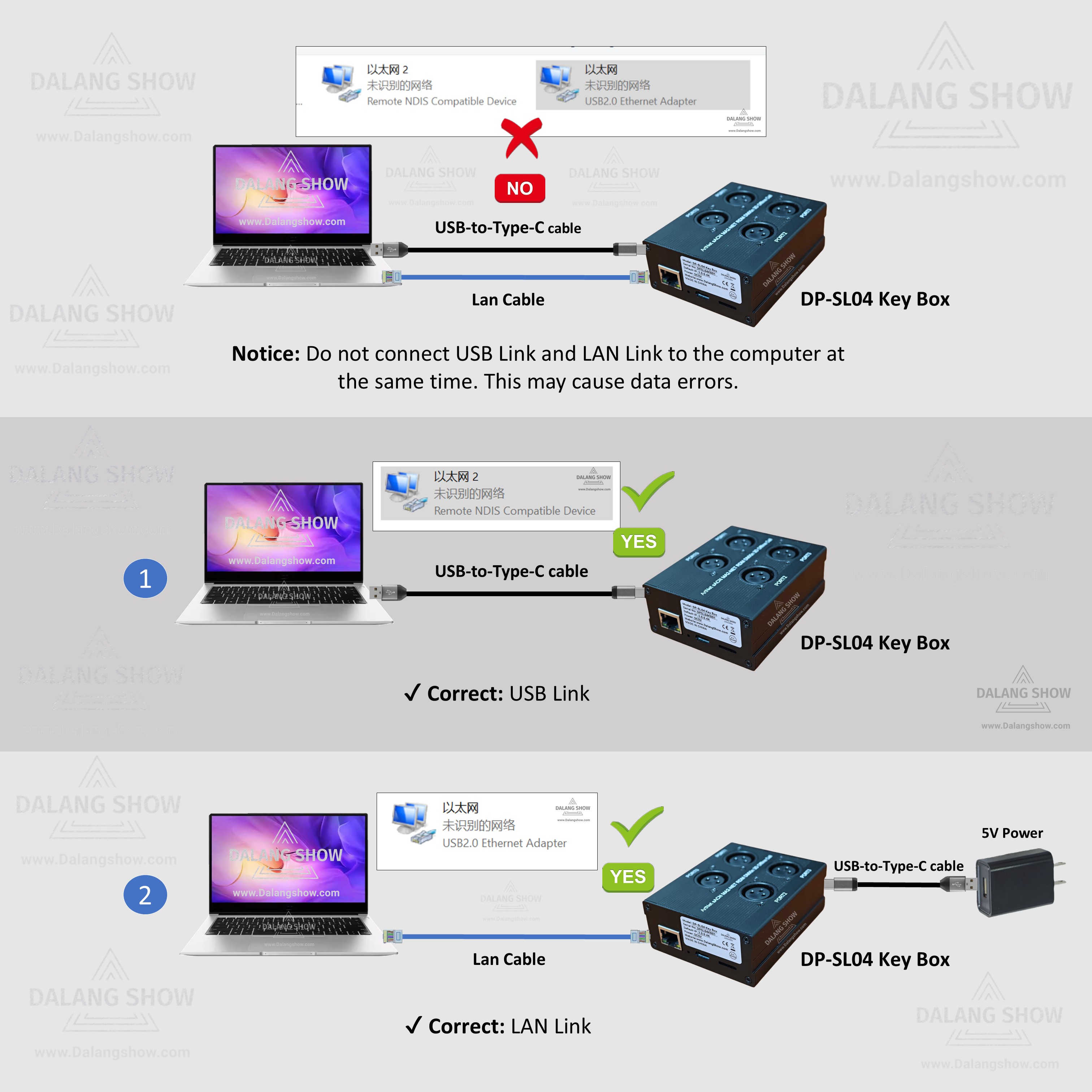
To ensure your DMX Universes are successfully unlocked, the DP-SL04 Key Box must be properly connected to your computer. Think of the Key Box as a Hardware Dongle: without a successful connection, the software remains in a restricted state.
💻 DP-SL04 Key Box Connection Guide
Core Requirement
-
Hardware Authorization: The unlocking of DMX Universes is tied directly to the physical detection of the DP-SL04.
-
Connection Mandatory: If the connection fails, the DMX Universes will remain locked.
Method 1: USB Type-C Connection (Virtual Network Card)
This is the most straightforward method for direct connection to a laptop or PC.
-
How to connect: Use a standard USB Type-C cable to link the Key Box to your computer’s USB port.
-
Mechanism: The computer will recognize the device as a Virtual Network Card.
-
Best for: Quick setups and mobile environments where extra power outlets or routers may not be available.
Method 2: LAN Port Connection (Ethernet Cable)
This method is ideal for professional lighting networks and permanent installations.
-
How to connect: Use a standard Ethernet Cable (RJ45) to link the Key Box’s LAN port to your computer’s network port or a network switch.
-
Mechanism: Communication happens via a standard Local Area Network (LAN) protocol.
-
Best for: Long-distance stability and integration into larger lighting control systems.
⚠️ Troubleshooting Checklist
-
Status Check: If the software shows “Locked” or “No License Found,” re-seat the cable and check the indicator lights on the Key Box.
-
Driver Recognition: For Method 1, ensure your Operating System has recognized the new “Network Adapter” in the Device Manager.
-
Conflict Prevention: Do not use both USB and LAN connections simultaneously unless your specific network configuration requires it, as this may cause IP conflicts.
Contact Information:
For better communication, you can reach us via:
- Mobile & WhatsApp: +86 13437848416
- WhatsApp: Click here to contact us
- You can contact us via WhatsApp to let us know your needs, or leave your comments, and we will reply to your messages promptly.
After-Sales Service:
We provide professional after-sales technical service to ensure you get great value and satisfaction!
- All products are covered by a one-year warranty for non-human issues.
- We adhere to the principle of low profit and high sales, dedicating ourselves to serving users. We will patiently explain and solve problems for you.
- We operate with integrity, ensuring all products are reliable and free from defects. If you are satisfied with our services and products, you can share DALANG SHOW with your friends. If you have any questions, please feel free to contact us.