How to create a loopback network adapter on a computer

🎞️ How to create a loopback network adapter on a computer tutorial video.
1. Create a loopback network adapter
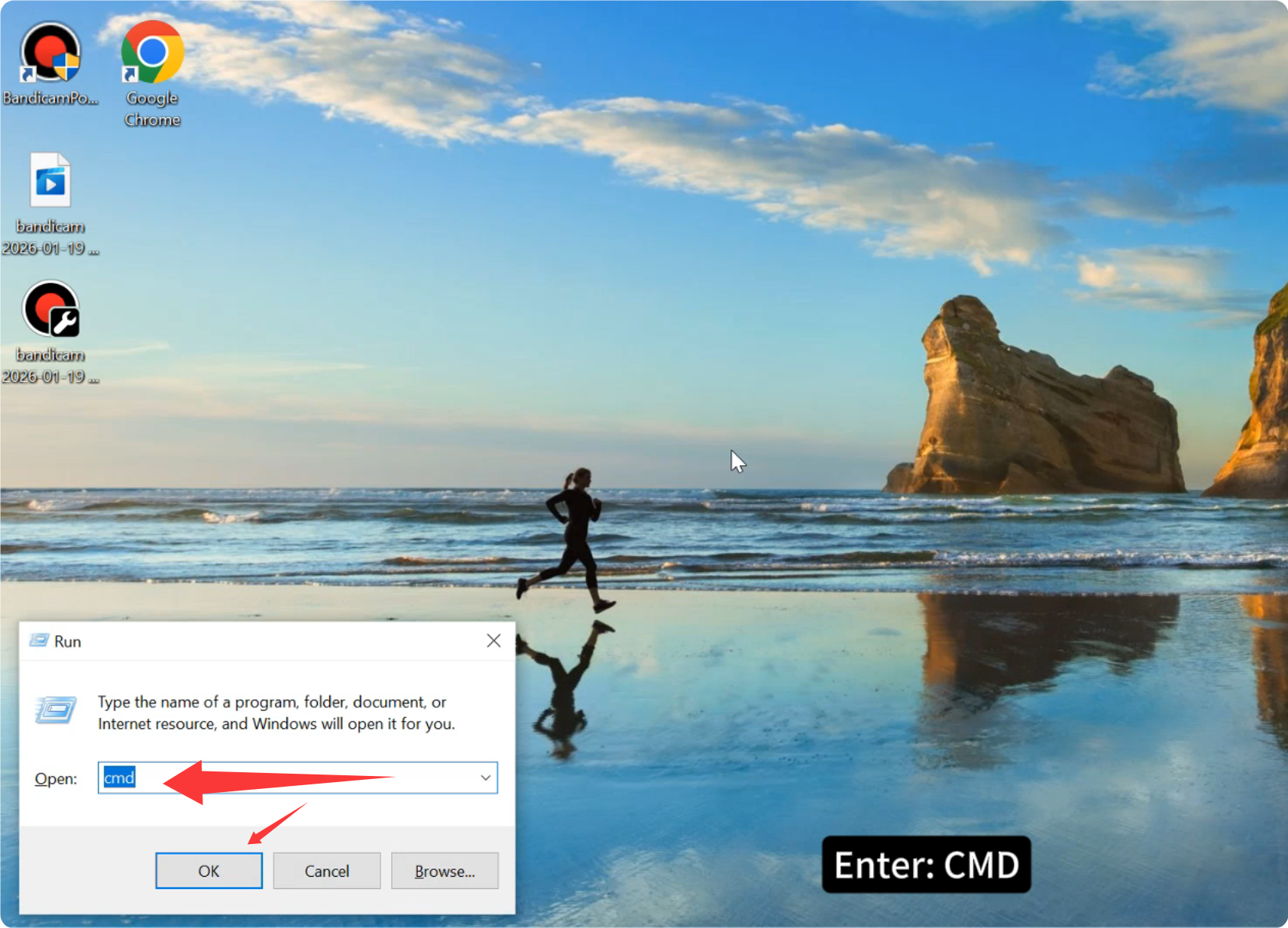
2. Press: Windows key + R

3. Enter: CMD
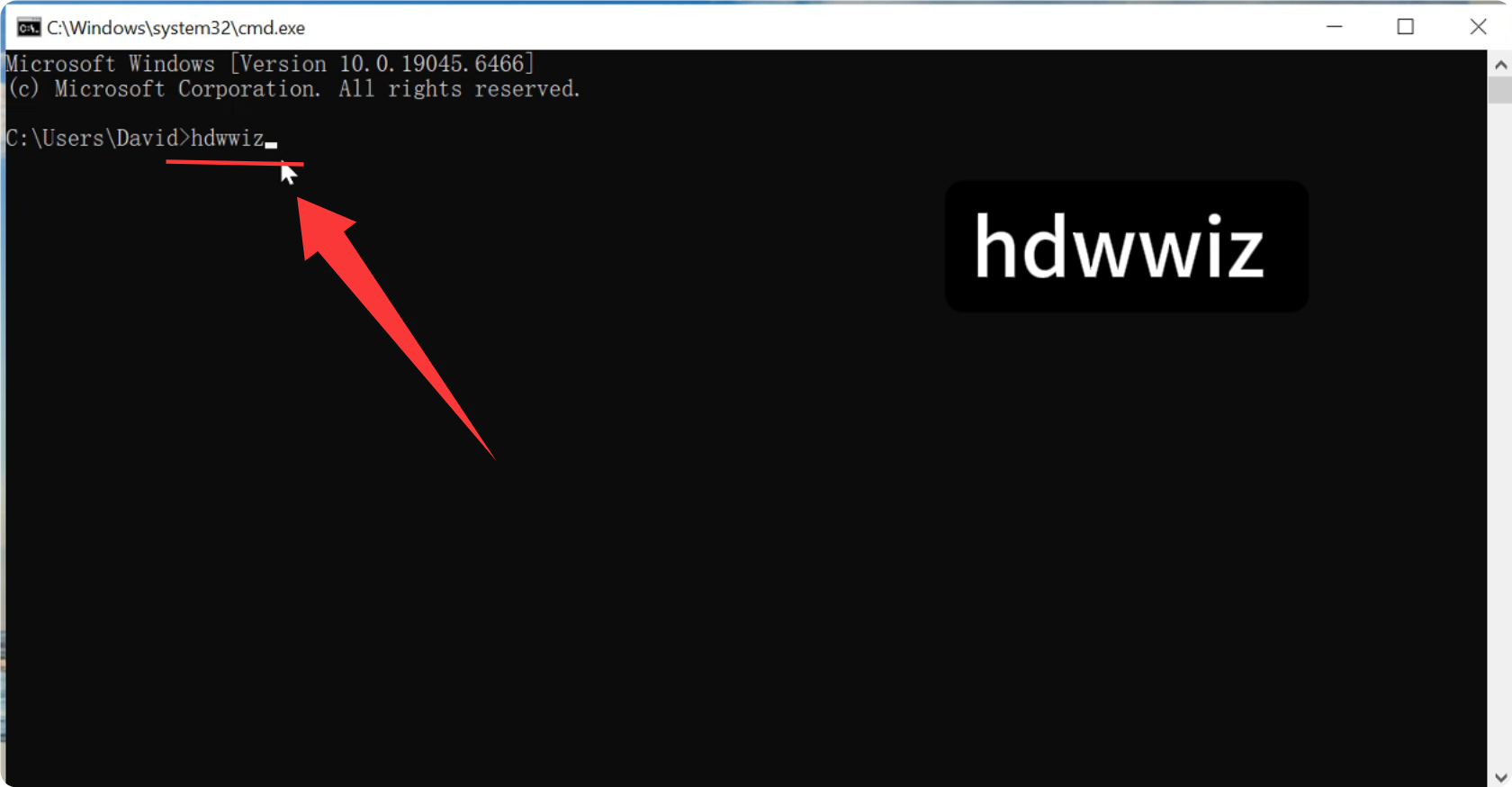
4. Then, enter the command in the command bar: hdwwiz
5. Press : Enter.
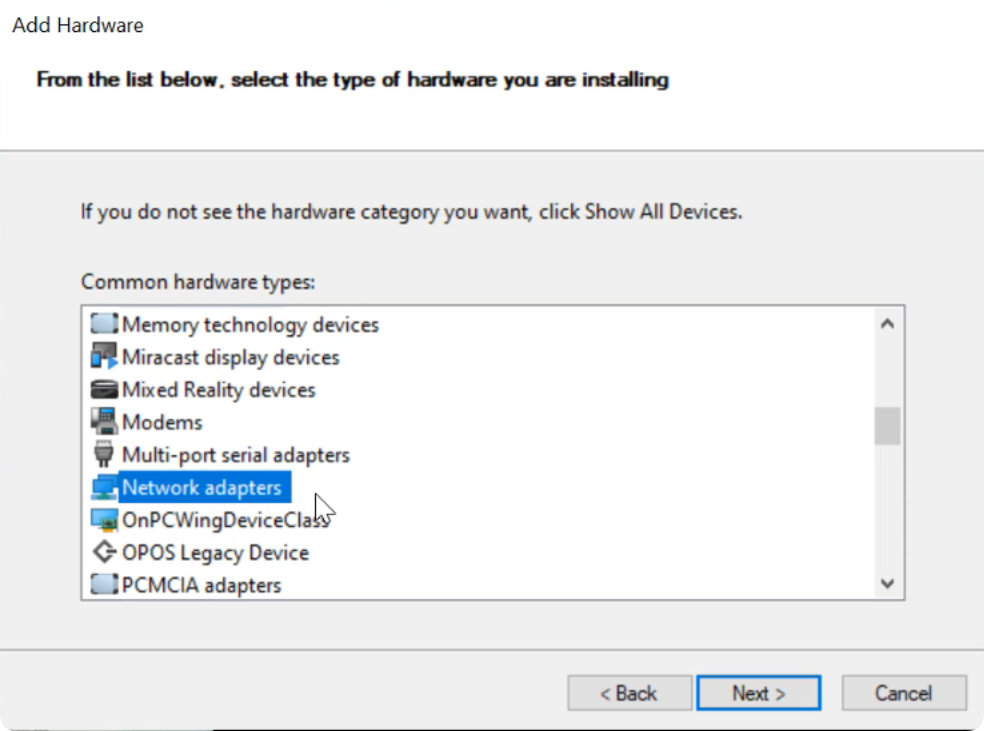
6. Select “Network Adapter” from the list.
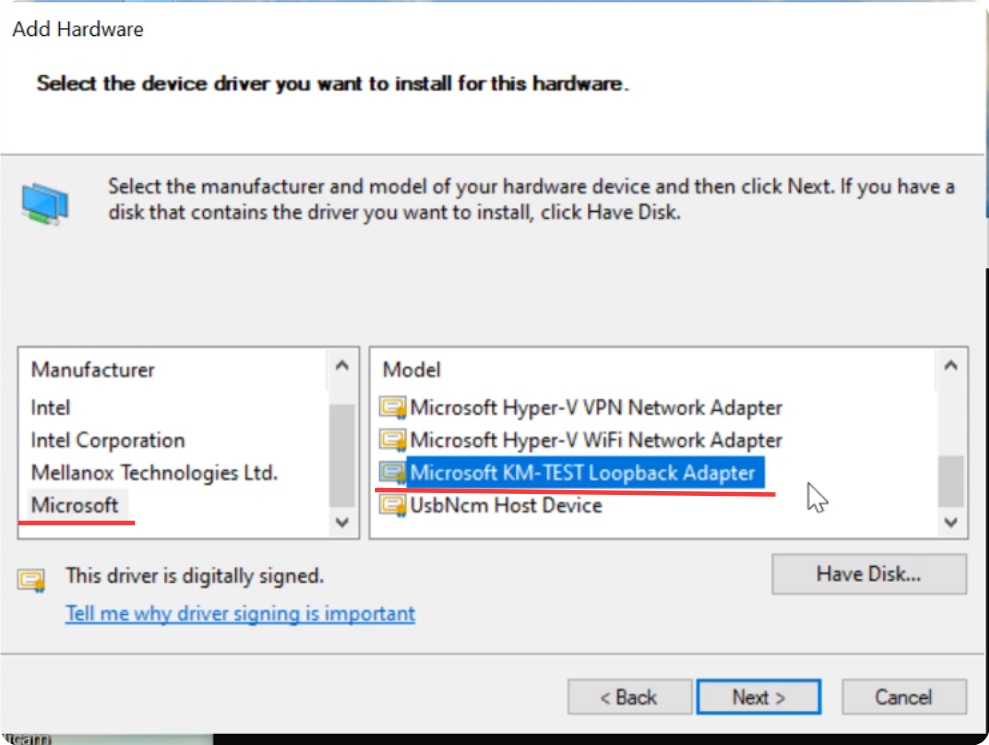
7. Select: Microsoft.
Then select: Microsoft KM-TEST Loopback Adapter
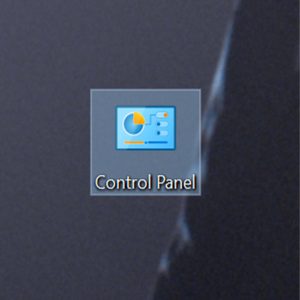
8. In Control Panel > Network and Internet > Network Connections, under Microsoft KM-TEST Loopback Adapter, set the IP address.
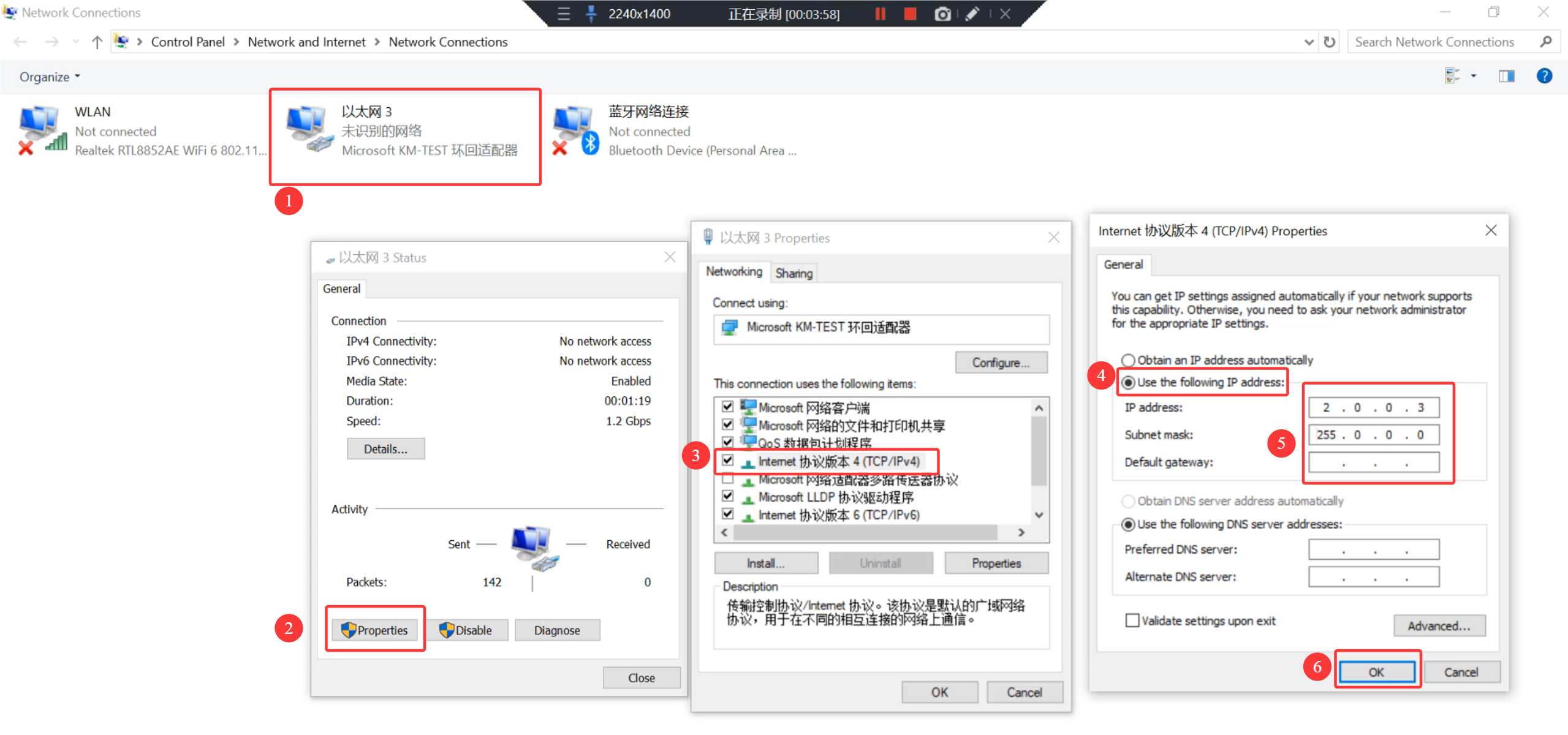
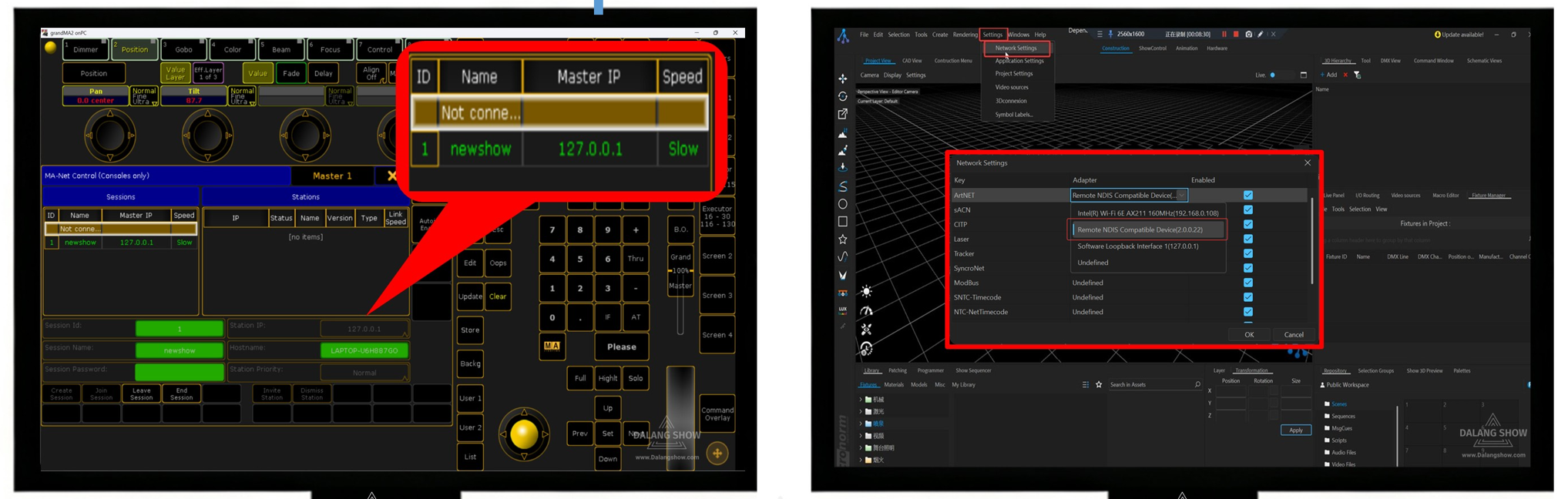
To clarify here, for software like Depence or MA2 onPC, after setting the IP,
you need to save and then restart the software for the IP to take effect.
Contact Information:
For better communication, you can reach us via:
- Mobile & WhatsApp: +86 13437848416
- WhatsApp: Click here to contact us
- You can contact us via WhatsApp to let us know your needs, or leave your comments, and we will reply to your messages promptly.

Disclaimer:All articles on this site, unless otherwise stated or marked, are original publications of this site. Without the permission of this site, it is forbidden for individuals or organizations to copy, plagiarize, compile or publish the content of this site on any website, book or other media platform. The copyright of all resources on this site belongs to the original author, and the resources provided here are for reference and learning purposes only, and shall not be directly used for commercial purposes. In case of copyright disputes arising from commercial use, the user shall bear full responsibility. If the content on this site infringes on the legitimate rights and interests of the original author, please contact us for prompt deletion.