

1. Important Notice:
-
Not all computers require system repair
-
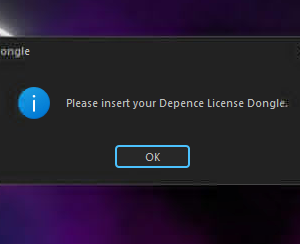
System repair is only necessary if an error window appears or the USB dongle is not detected during installation
-
If the software installs normally and the dongle is recognized correctly, no repair is required
Additional Notes:
-
This issue occurs only on a small number of computers
-
It is a system-related issue, not a software defect
2. Problem Description:
Some users may encounter the following issues when installing Depence R4 or Capture 2025:
-
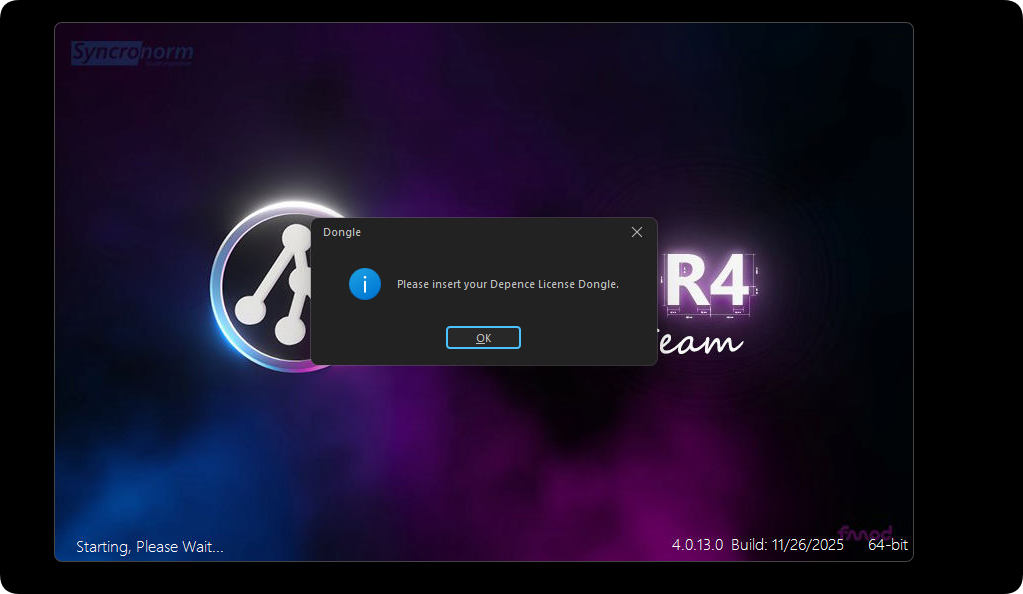
Error message windows appear during installation
-
The software reports that the USB dongle is not detected
3. Cause Analysis:
This issue is not caused by the software itself, but by problems with the computer system environment. Possible causes include:
-
Missing C++ Runtime Libraries
-
Missing or damaged .NET Framework
-
Windows system has not been updated for a long time
-
Incomplete or corrupted system components

4. Solutions
Solution 1: Update Windows System
-
Open Windows Update
-
Update the system until no further updates are available
-
Restart the computer
-
Reinstall Depence R4 or Capture 2025

Solution 2: Repair System Environment
-
Install Kingsoft Antivirus
-
Use the built-in System Repair or System Environment Repair function
-
Repair missing or damaged system files
-
Restart the computer
-
Reinstall the software
🎞️Installing Kingsoft Antivirus Software, Tutorial Video for Repair. Solution video.
📥(Right-click to save and download the video to your computer)
🟦Solution:
2.Install Kingsoft Antivirus software (double-click to perform the default installation).
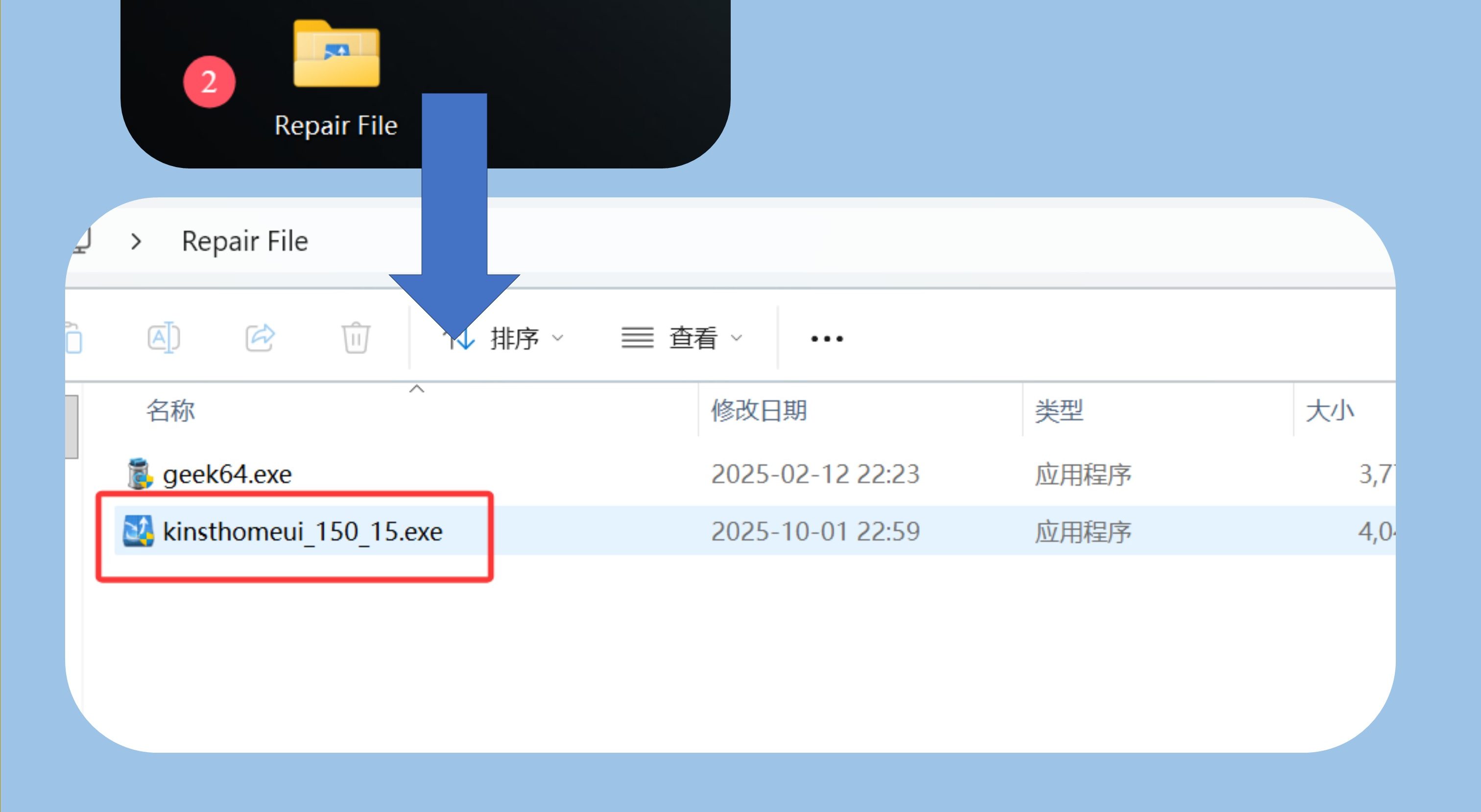
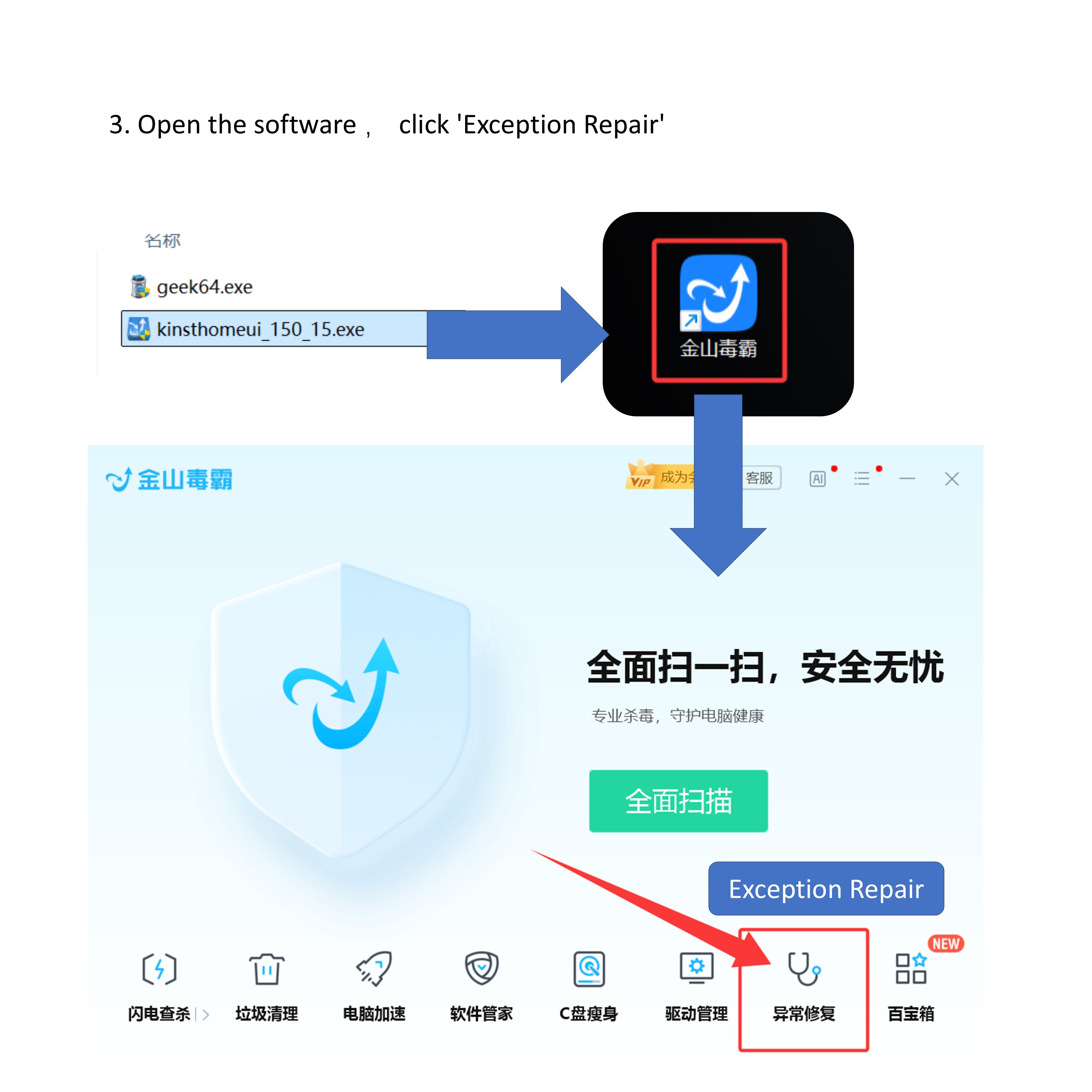
- Open the software , click ‘Exception Repair’
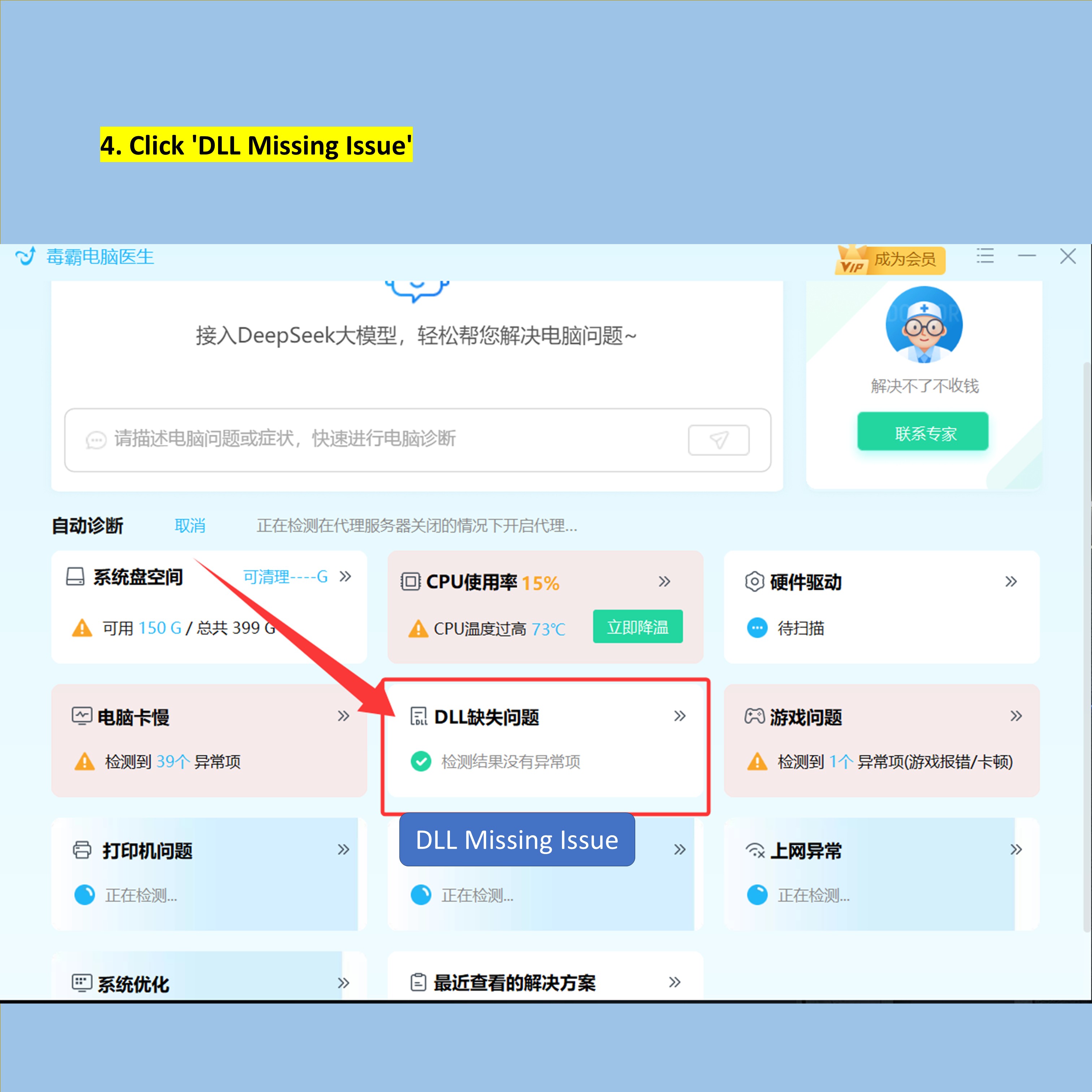
- Click ‘DLL Missing Issue’
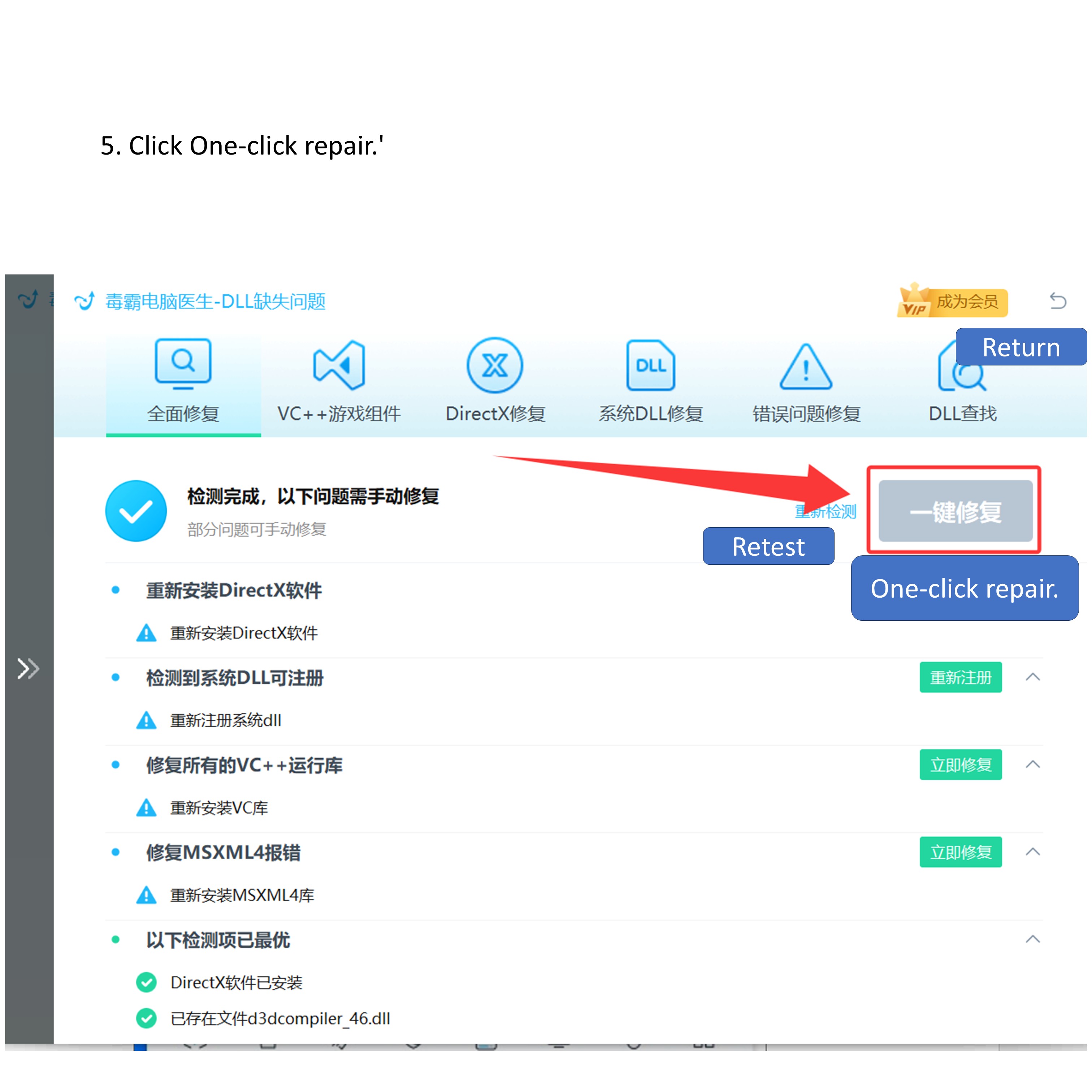
- Click One-click repair.’
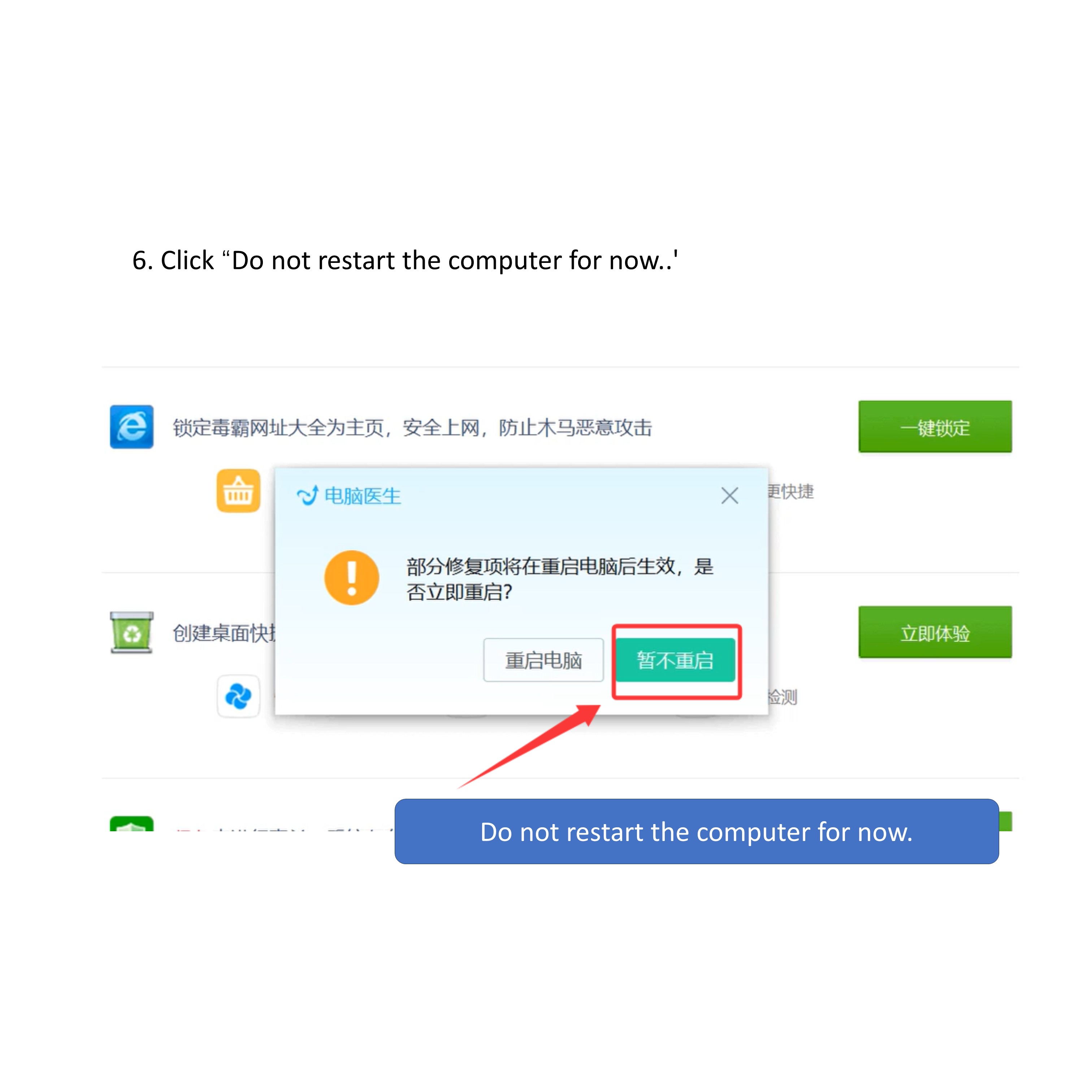
- Click “Do not restart the computer for now..’
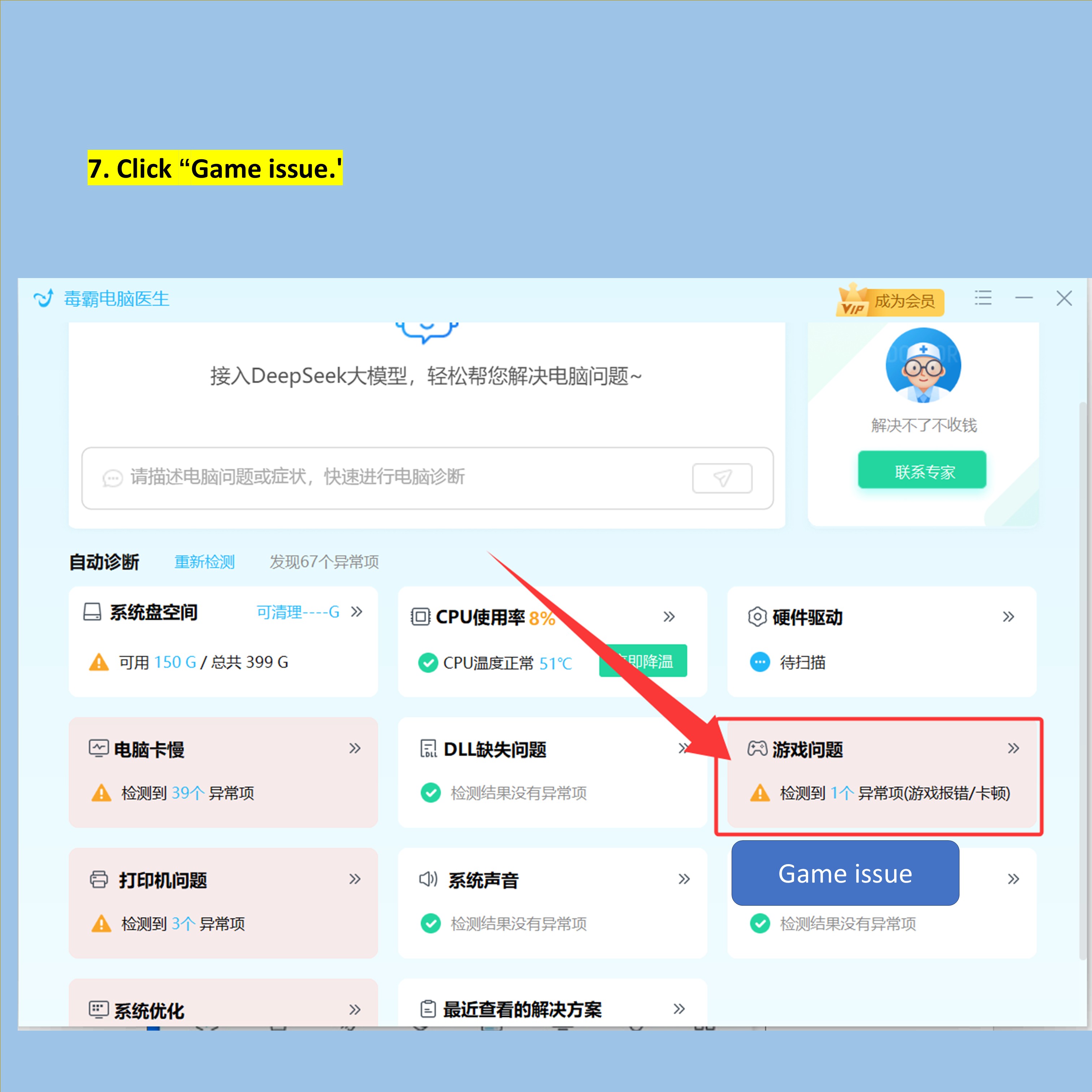
- Click “Game issue.’
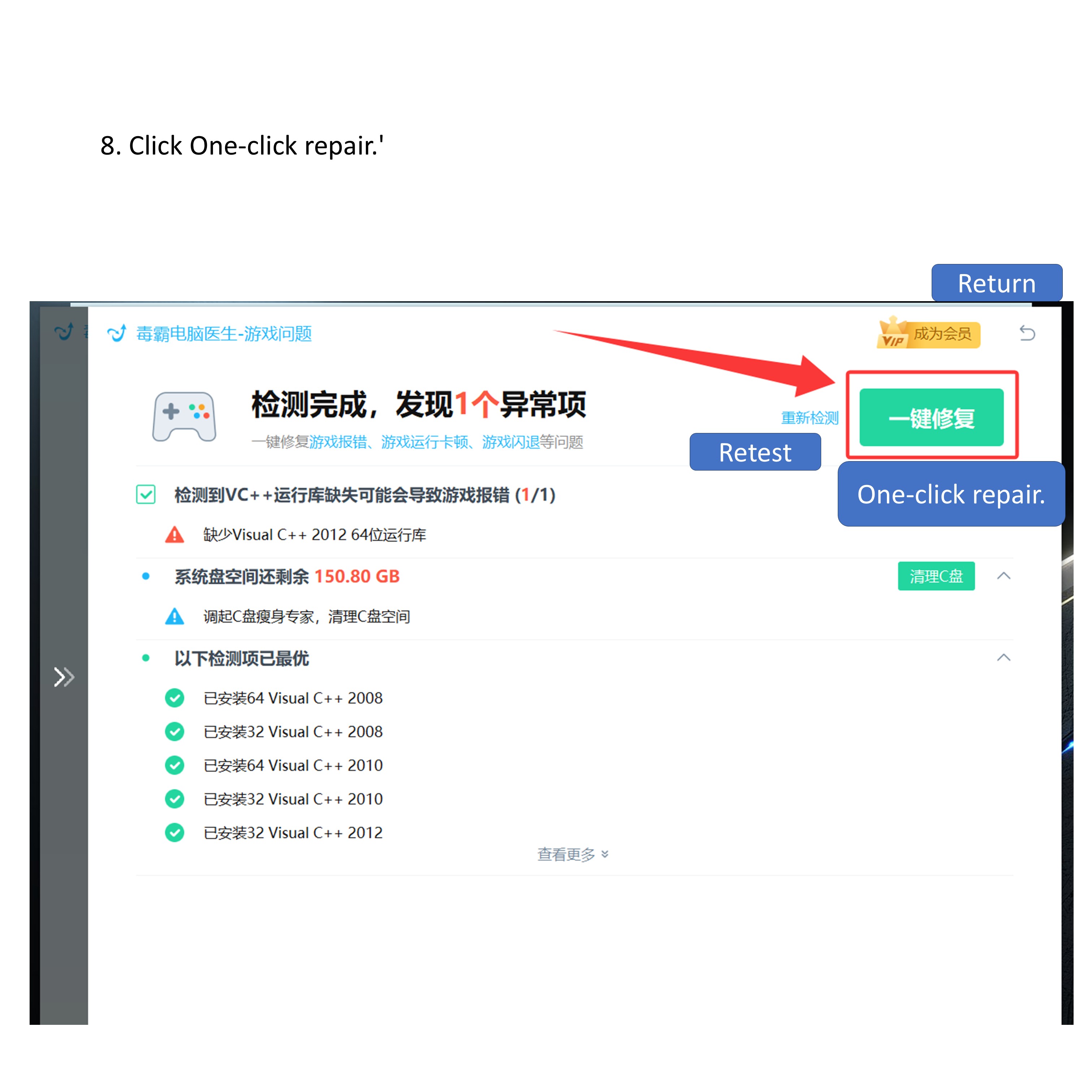
- Click One-click repair.’
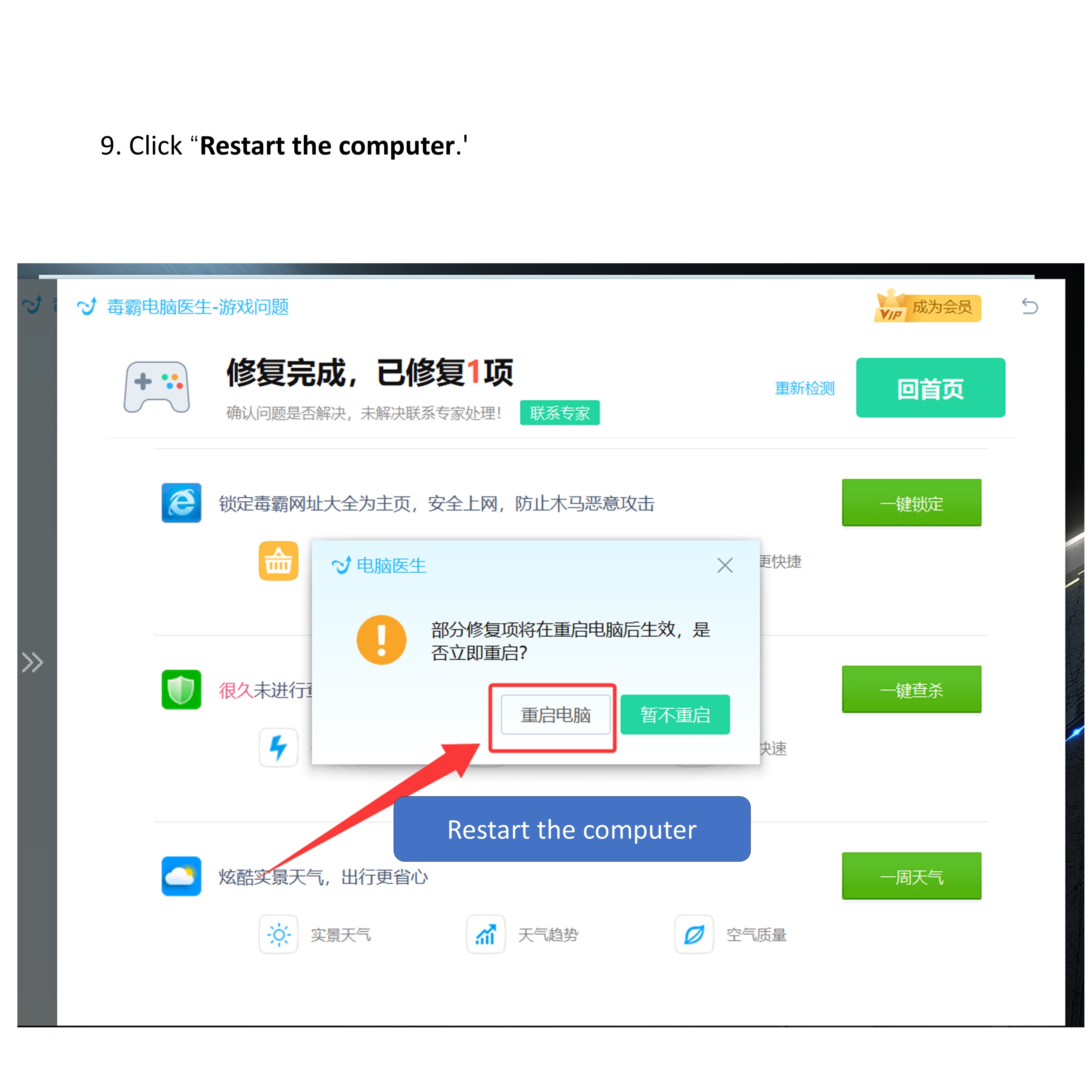
- Click “Restart the computer.’
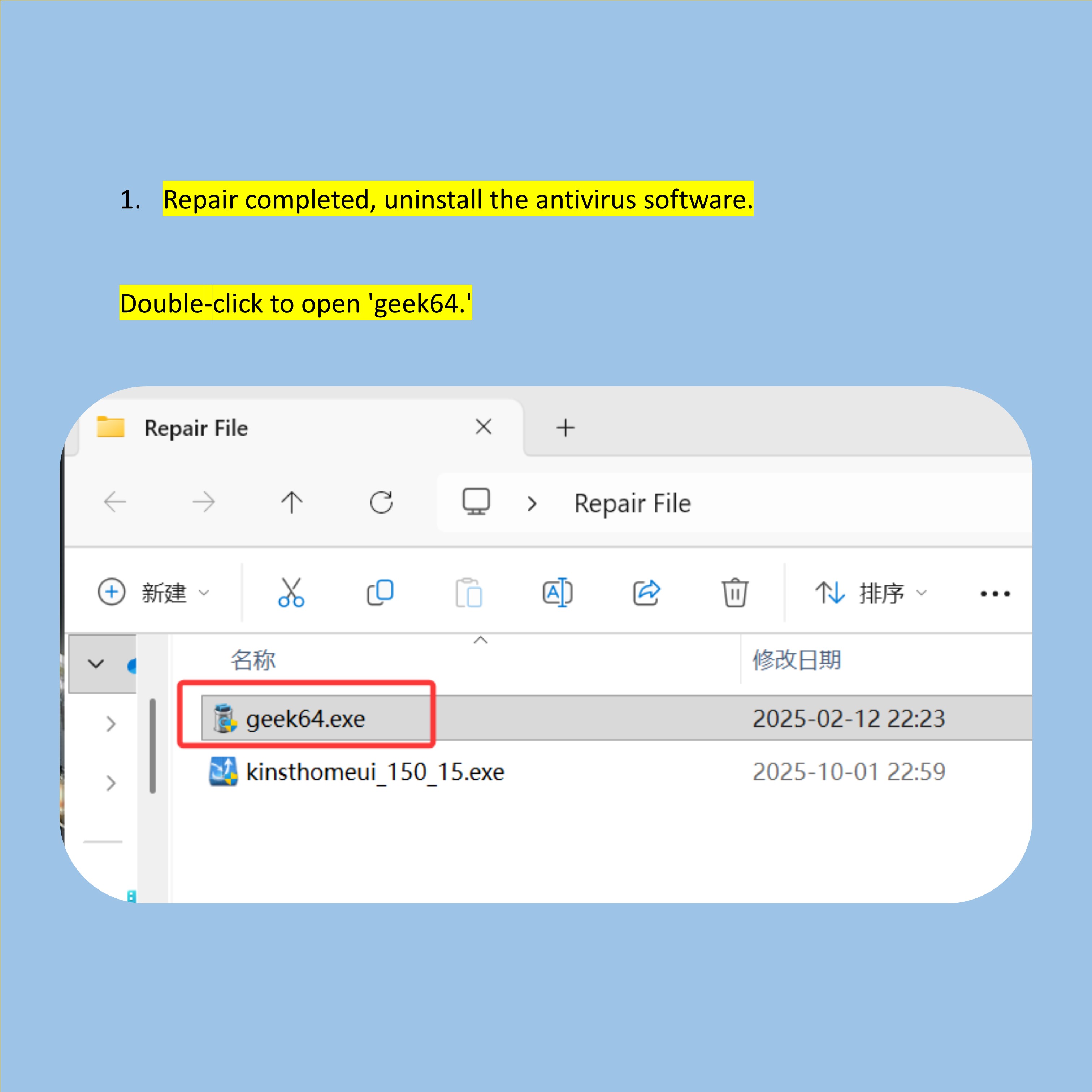
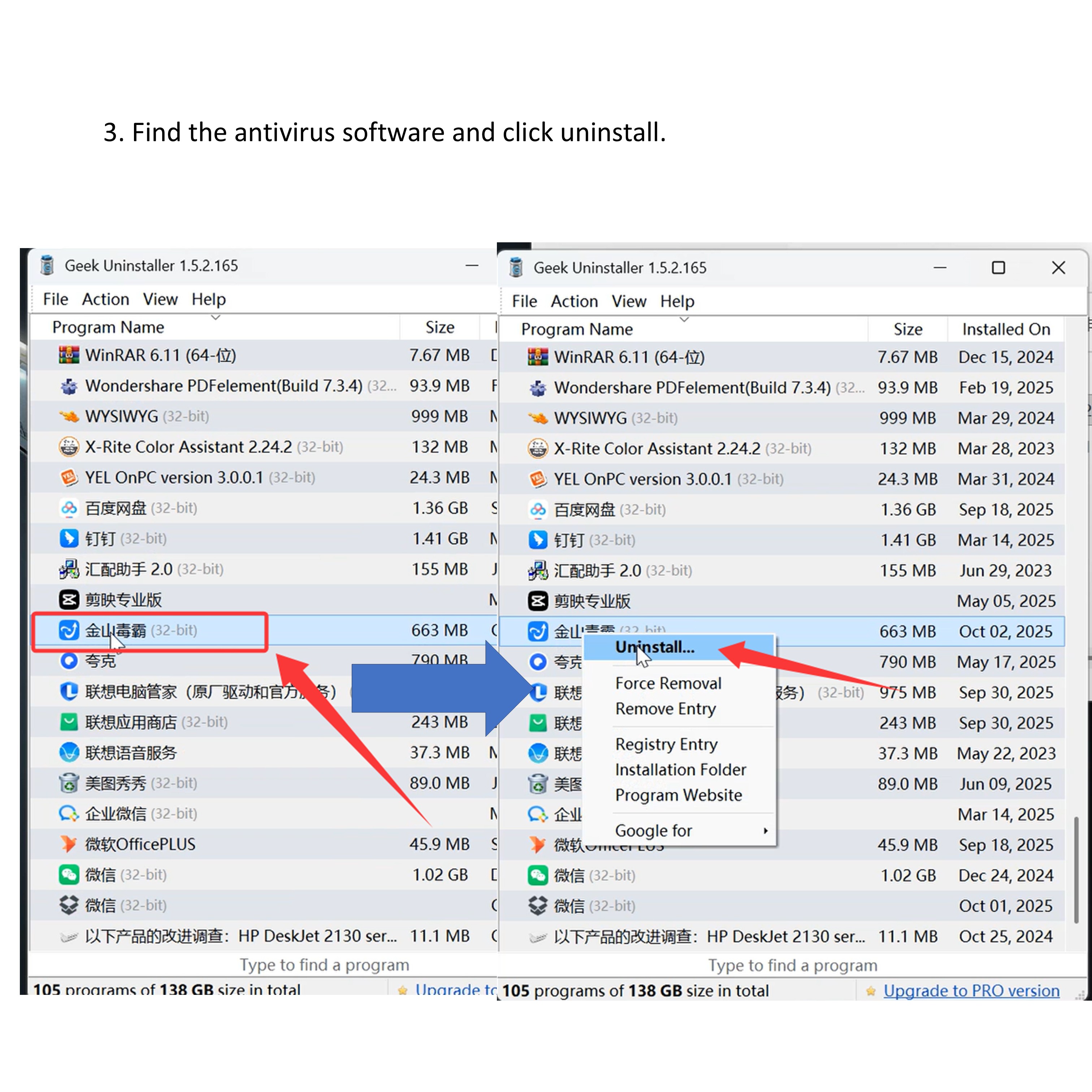
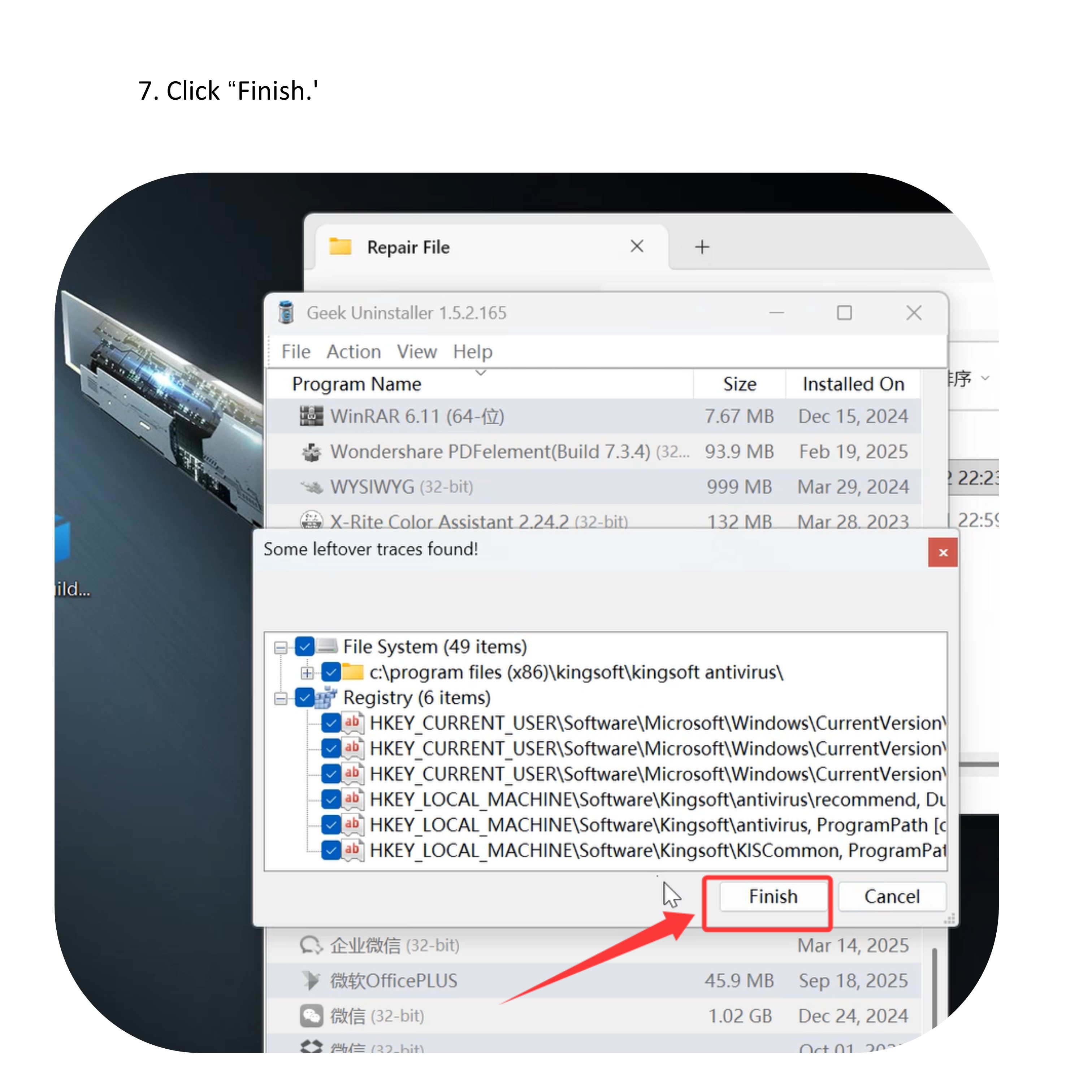
1.Repair completed, uninstall the Kingsoft Antivirus software. (Uninstallation Tutorial)
- Double-click to open ‘geek64.’
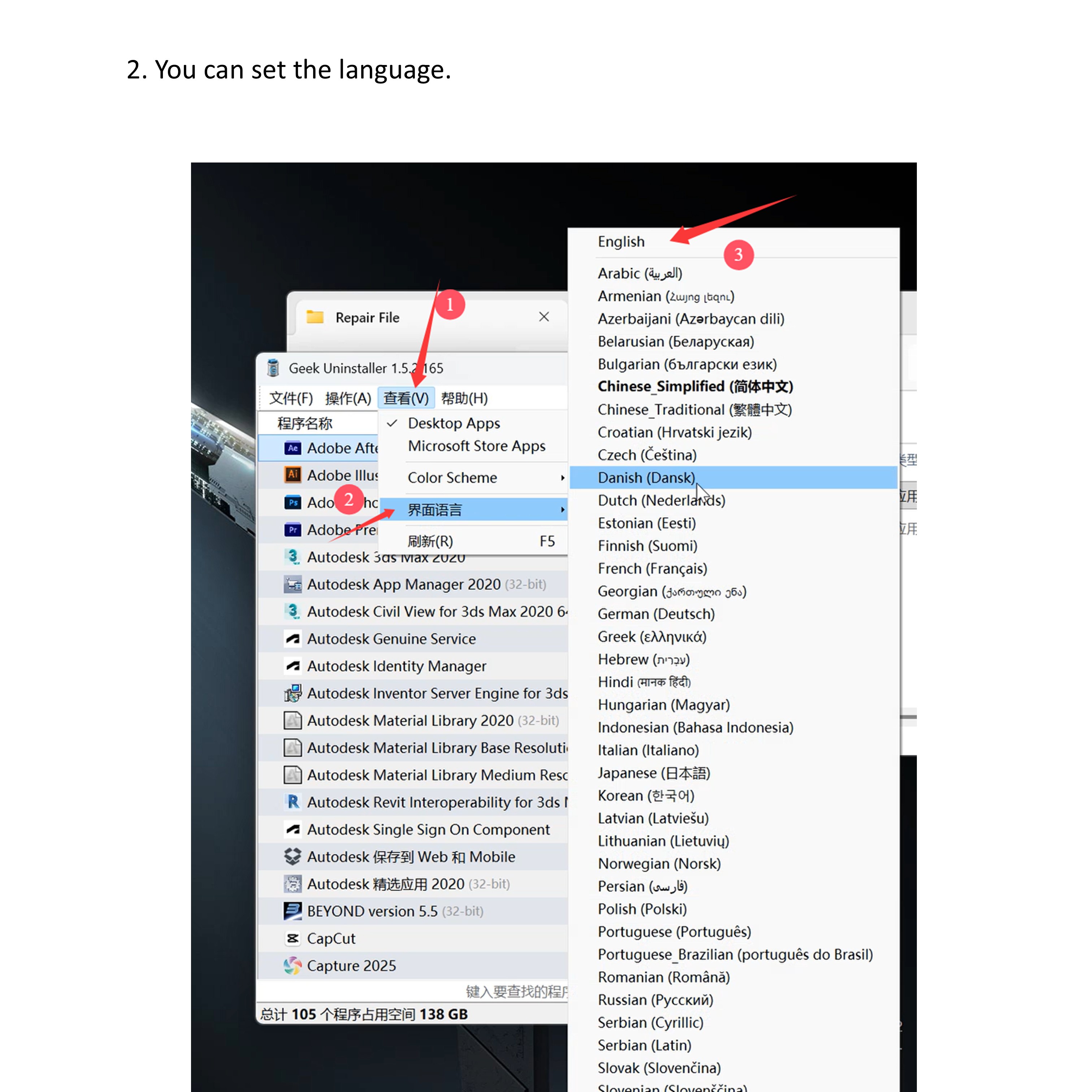
- You can set the language.
- Find the Kingsoft Antivirus software and click uninstall.
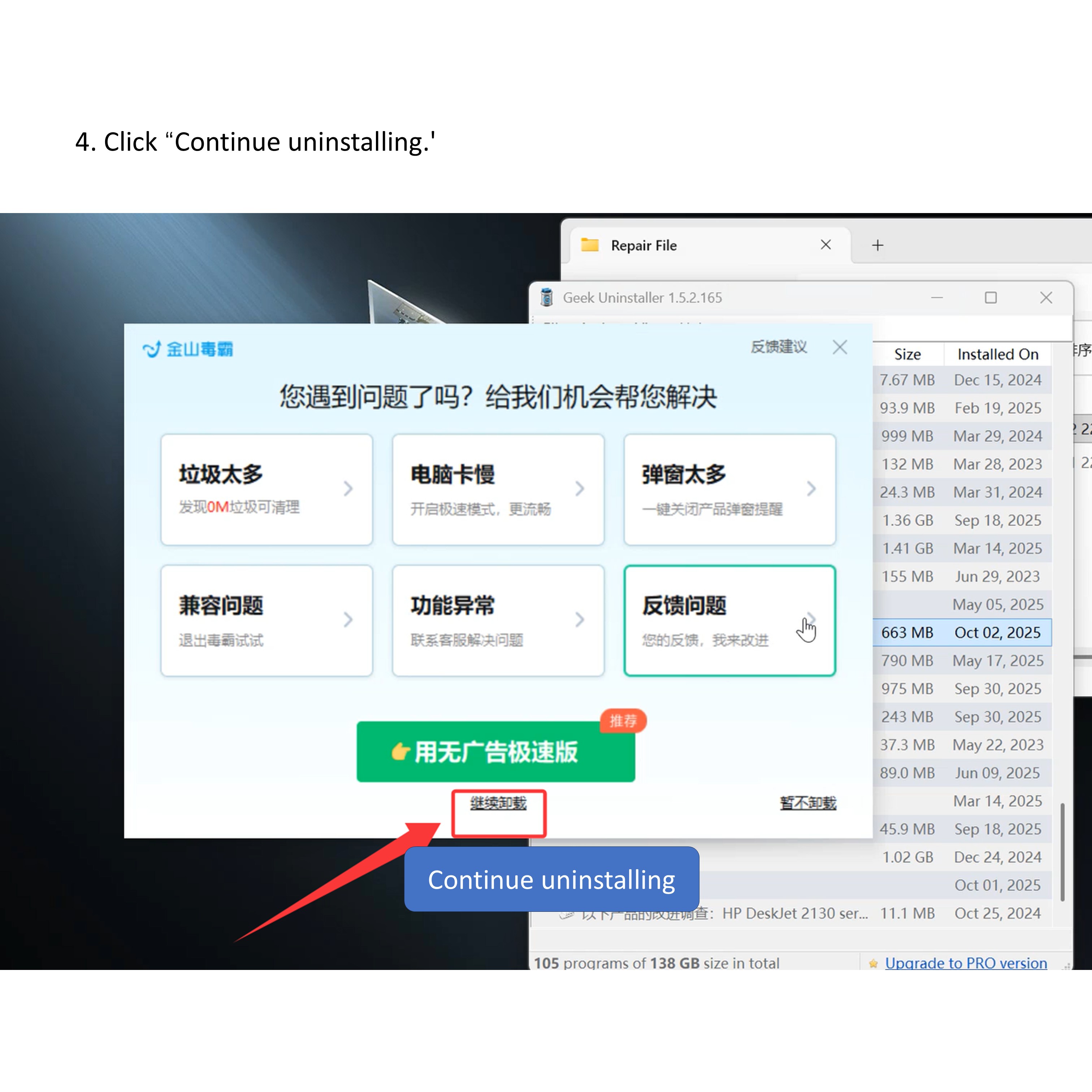
- Click “Continue uninstalling.’
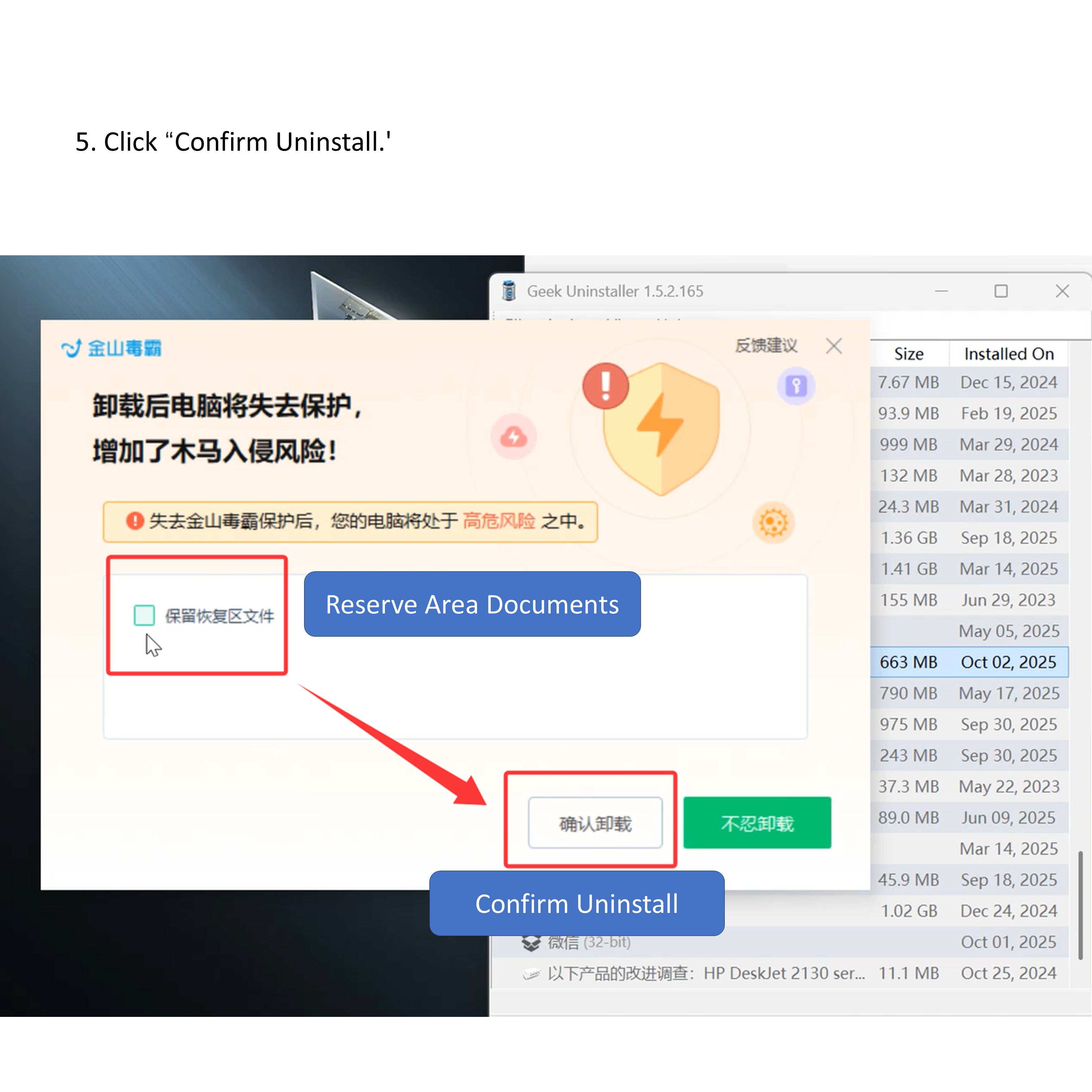
- Click “Confirm Uninstall.’
- Click “Finish.’
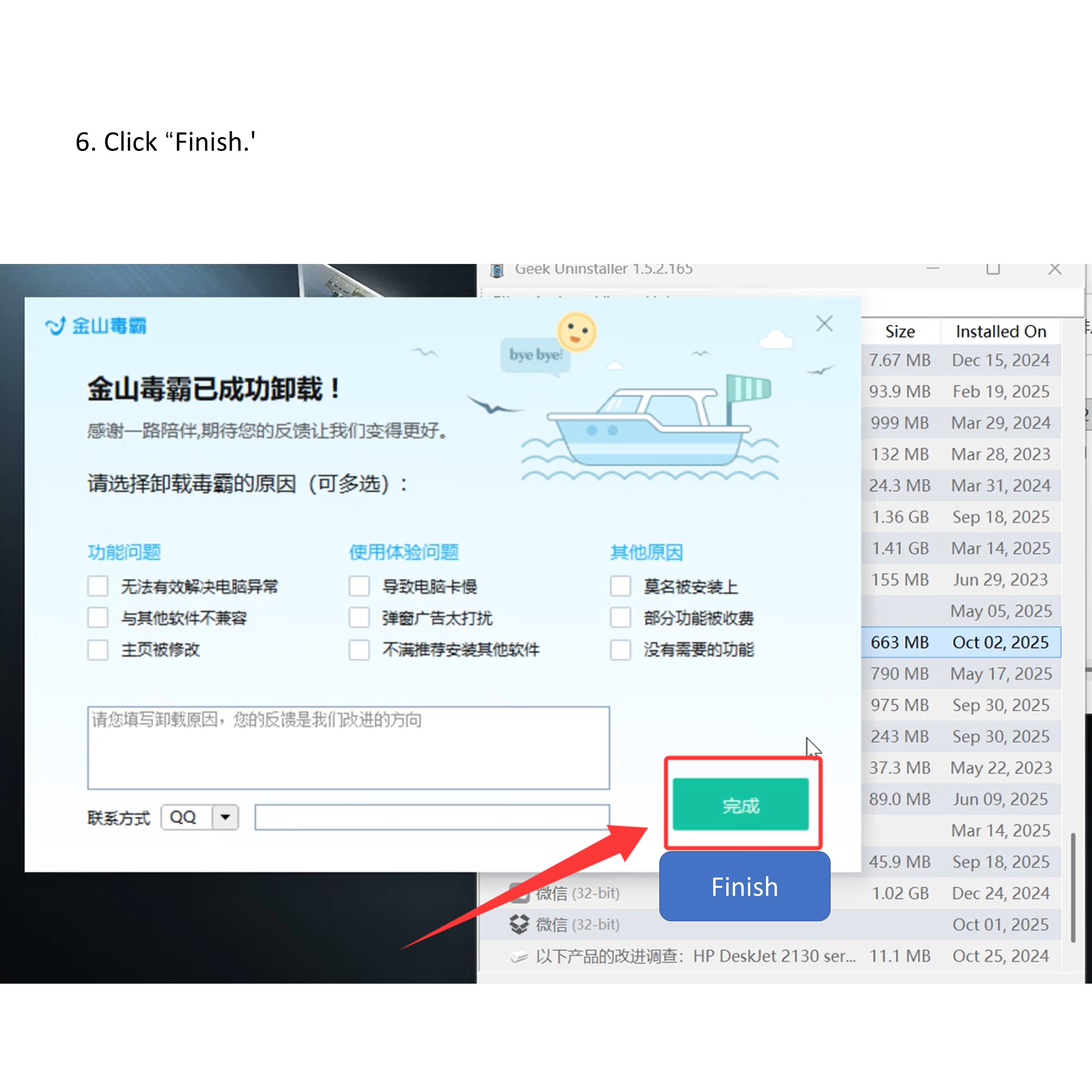
- Click “Finish.’
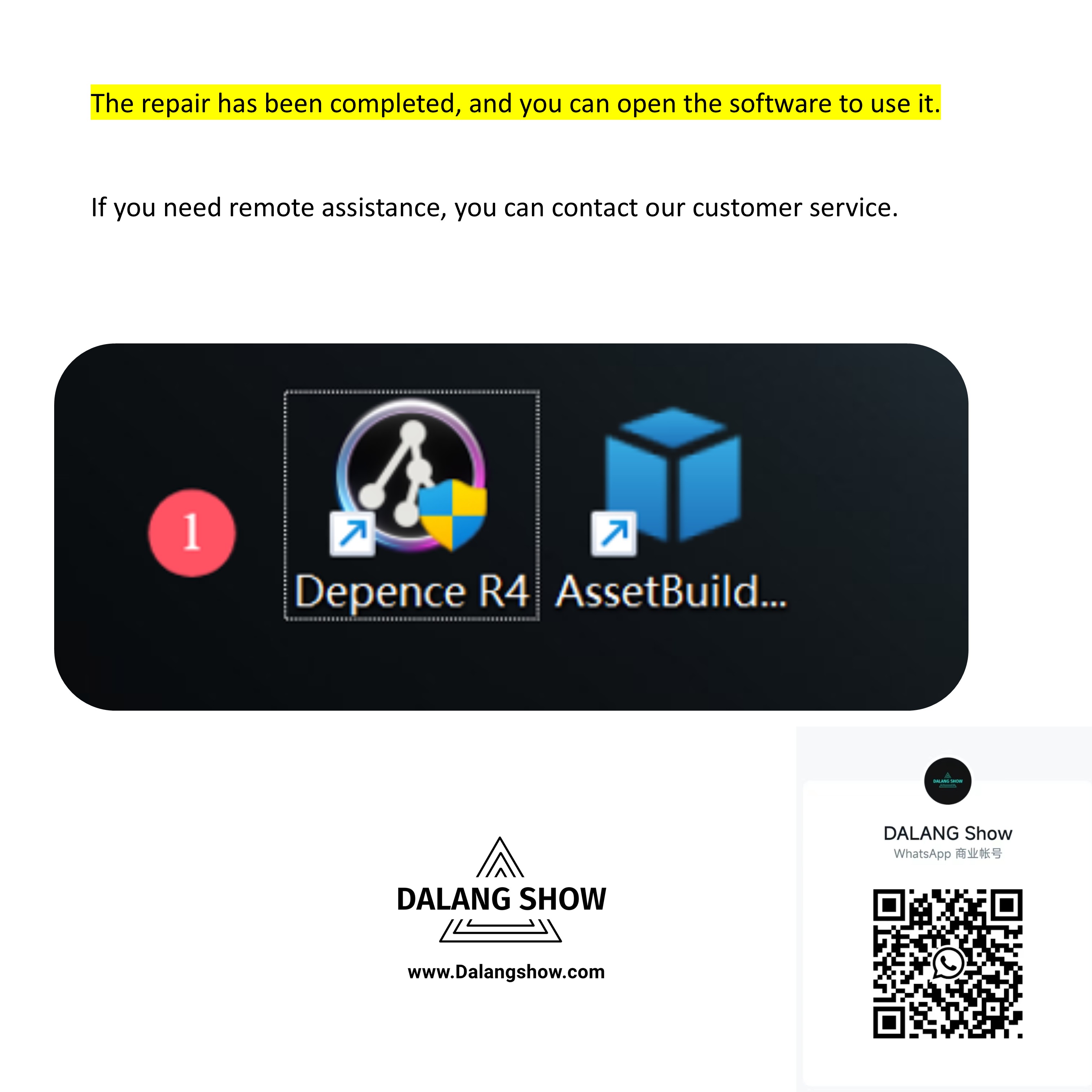
The repair has been completed, and you can open the software to use it.
If you need remote assistance, you can contact our customer service.
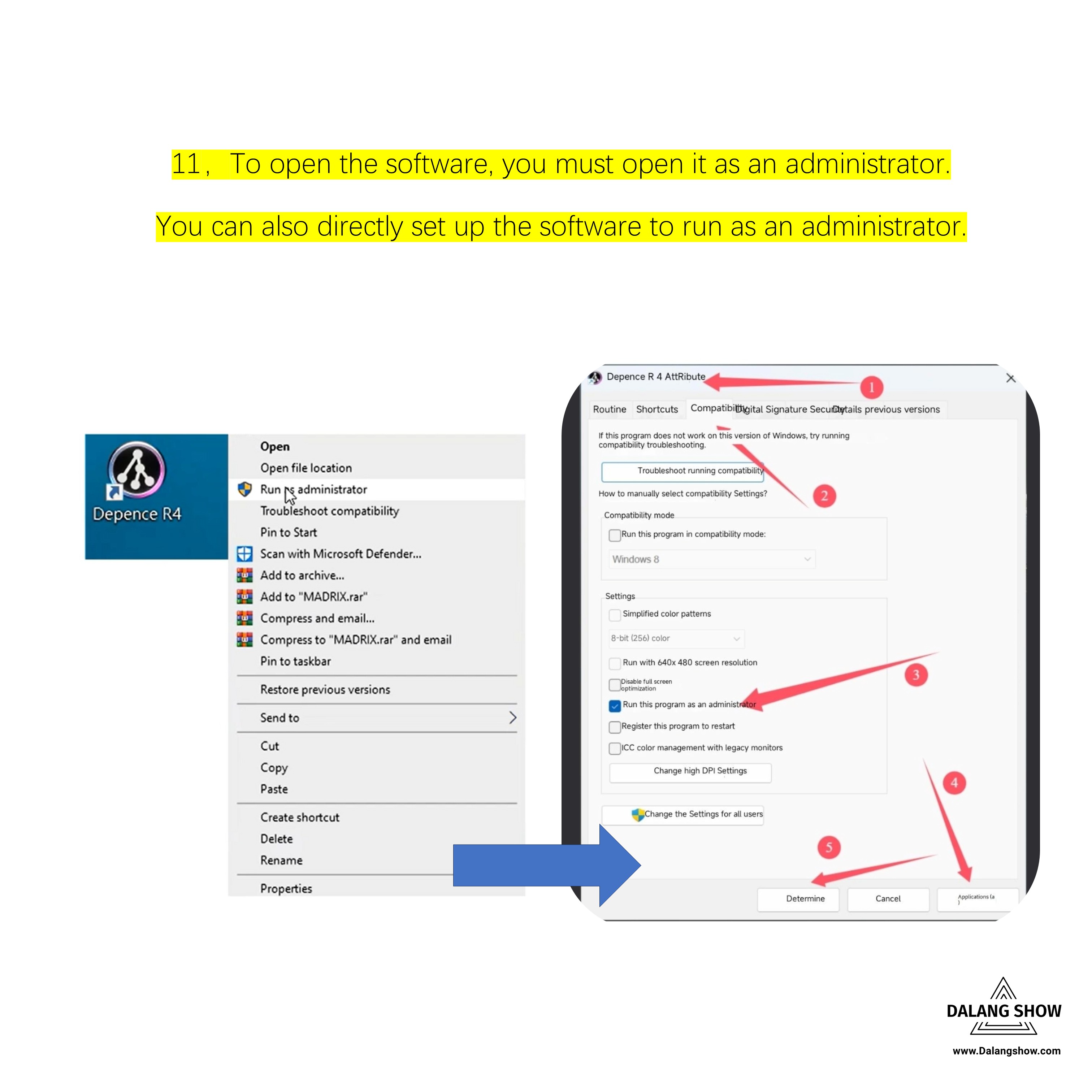
To open the software, you must open it as an administrator.
You can also directly set up the software to run as an administrator.
Warning: The software must be run with administrator privileges; otherwise, an error prompt will appear.
5. If the Issue Persists:
If the problem still exists after completing the above steps:
-
Try installing the software on another computer
or -
Resolve the issue by reinstalling the Windows operating system
6. Additional Notes:
-
This issue occurs only on a small number of computers
-
It is a system-related issue, not a software defect
-
Some users reported that they were using a “new computer,” but the issue was still resolved after repairing the system environment
-
Even new computers may have incomplete or outdated system components
Contact Information:
For better communication, you can reach us via:
- Mobile & WhatsApp: +86 13437848416
- WhatsApp: Click here to contact us
- You can contact us via WhatsApp to let us know your needs, or leave your comments, and we will reply to your messages promptly.
comment(1)
ok