
Safety Guide for Connecting the FB4 Laser Box with Beyond 5.2 and Beyond 5.5 Software:
Safety Guide for Connecting the FB4 Laser Box with Beyond 5.2 and Beyond 5.5 Software:
⚠️ WARNING
-
Software Versions: Beyond 5.2 and Beyond 5.5
-
Hardware: FB4 Laser Box
-
Core Issue:
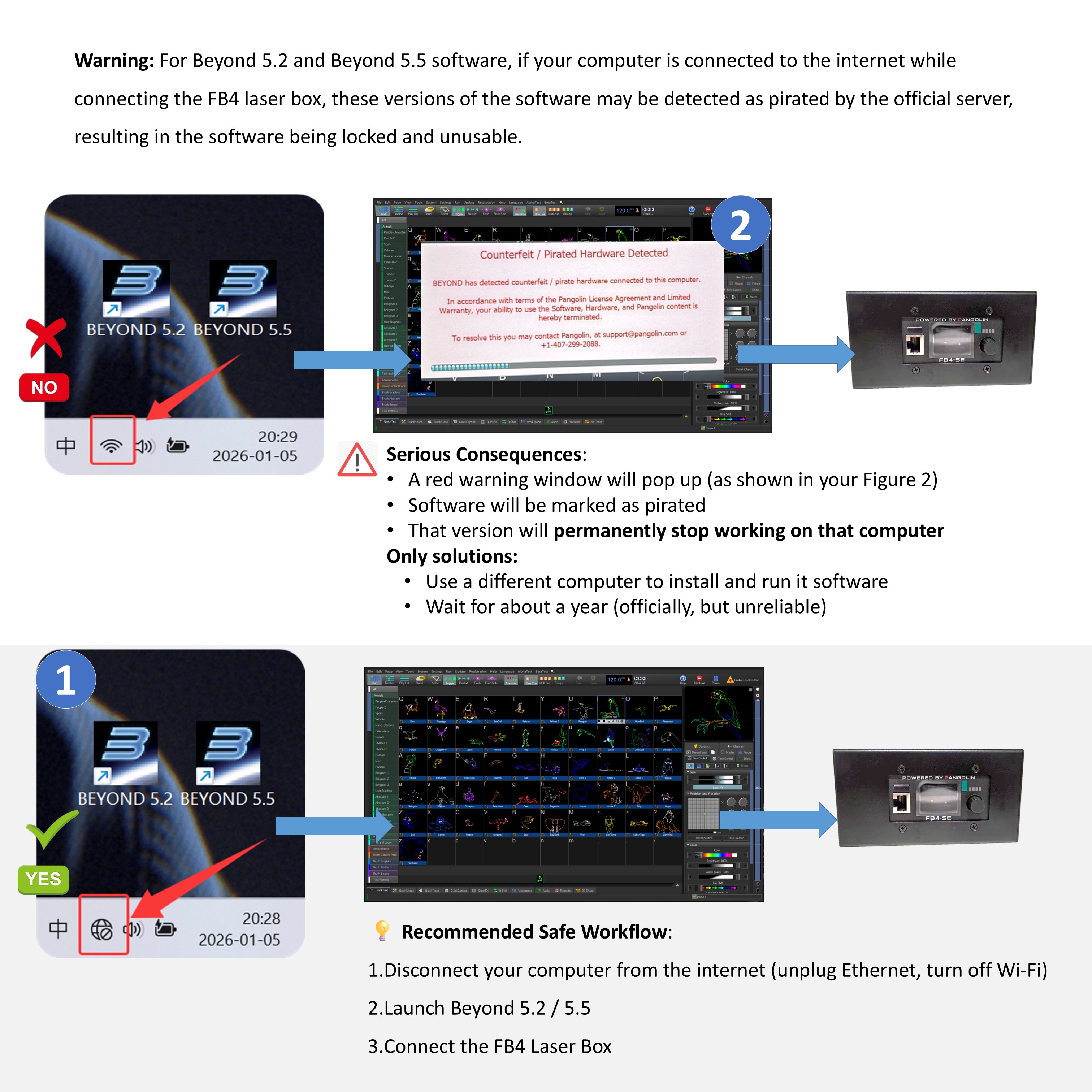
When these software versions connect to the FB4 Laser Box while the computer is online, the official server can detect it as unauthorized/“pirated” usage. This will lock the software, making it unusable. -
Serious Consequences:
-
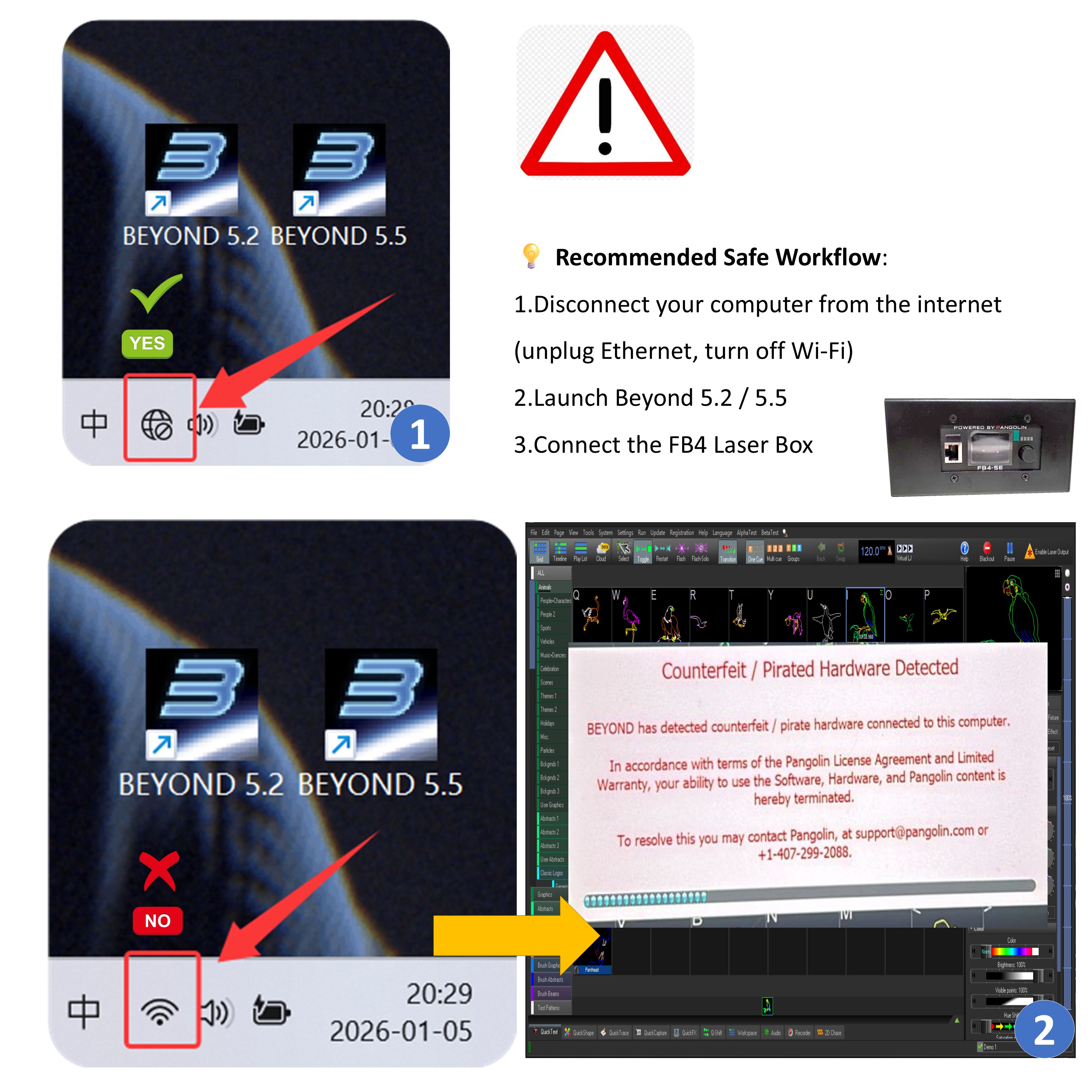
A red warning window will pop up (as shown in your Figure 2)
-
Software will be marked as pirated
-
That version will permanently stop working on that computer
-
Only solutions:
-
Use a different computer to install and run it Software
-
Wait for about a year (officially, but unreliable)
-
-
-
Safe Usage Instructions:
-
When using Beyond 5.2 / 5.5 with FB4, the computer must be completely offline
-
Disable both Ethernet and Wi-Fi
-
-
Do not connect to the internet while the software is running
-
Use at your own risk
-
💡 Recommended Safe Workflow:
-
Disconnect your computer from the internet (unplug Ethernet, turn off Wi-Fi)
-
Launch Beyond 5.2 / 5.5
-
Connect the FB4 Laser Box
 Dalang Show
Below in total 2 A response
Safety Guide for Connecting the FB4 Laser Box with Beyond 5.2 and Beyond 5.5 Software: Disconnect your computer from the internet (unplug Ethernet, turn off Wi-Fi)
💡 Recommended Safe Workflow:
Disconnect your computer from the internet (unplug Ethernet, turn off Wi-Fi)
Launch Beyond 5.2 / 5.5
Connect the FB4 Laser Box