
BEYOND.exe Application Error (0xC0000906) – Unable to Open Beyond
BEYOND.exe Application Error (0xC0000906) – Unable to Open Beyond
Problem Description:
Beyond could not be opened. Reinstalling the software several times did not solve the issue.
An error window appeared with the following message:
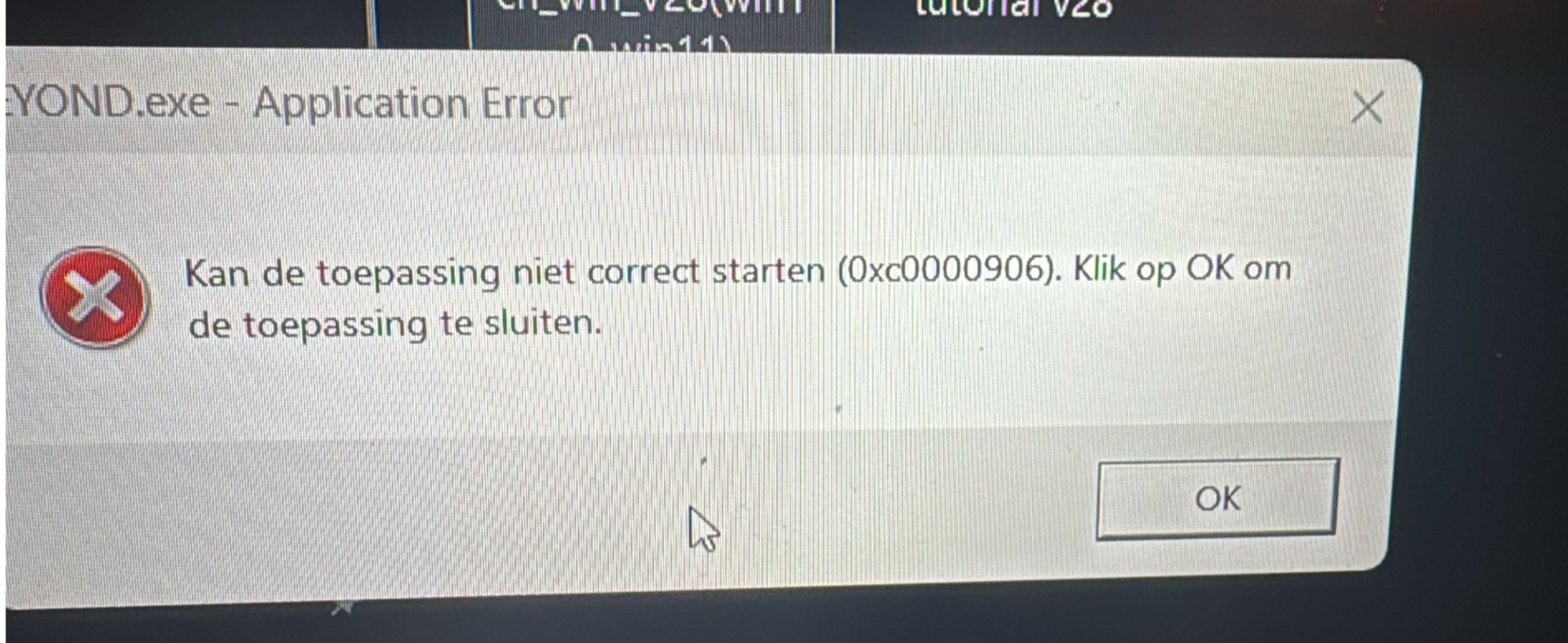
BEYOND.exe – Application Error
Kan de toepassing niet correct starten (0xC0000906).
Klik op OK om de toepassing te sluiten.
Cause:
The error code 0xC0000906 is usually caused by firewall or security software blocking or quarantining Beyond files.
In this case, the executable or related components were prevented from running by security settings, not by a faulty installation.
Solution: Turn off the firewall.
Solution:
-
Open the system firewall or any third-party security software (such as Windows Defender or antivirus software).
-
Check whether there are any blocking or quarantine records related to Beyond.
-
Add the Beyond installation directory or executable file (.exe) to:
-
the firewall’s allowed list / whitelist
-
the security software’s trusted programs list
-
-
If necessary, temporarily disable the firewall or security software to test whether Beyond can start normally.
-
Restart the computer and open Beyond again to confirm the issue is resolved.
Result:
After adjusting the firewall and security settings, Beyond is working normally again.
 Dalang Show
Below in total 1 A response
Result:
After adjusting the firewall and security settings, Beyond is working normally again.