
MA3 onPC Function Buttons Not Displayed – Issue Description and Solution
In this situation, the function buttons are not displayed, which is usually caused by insufficient computer hardware performance. Higher versions of MA3 onPC have high requirements for GPU, CPU, and RAM. When the computer does not meet these requirements, the interface may not display correctly or some function buttons may be missing.
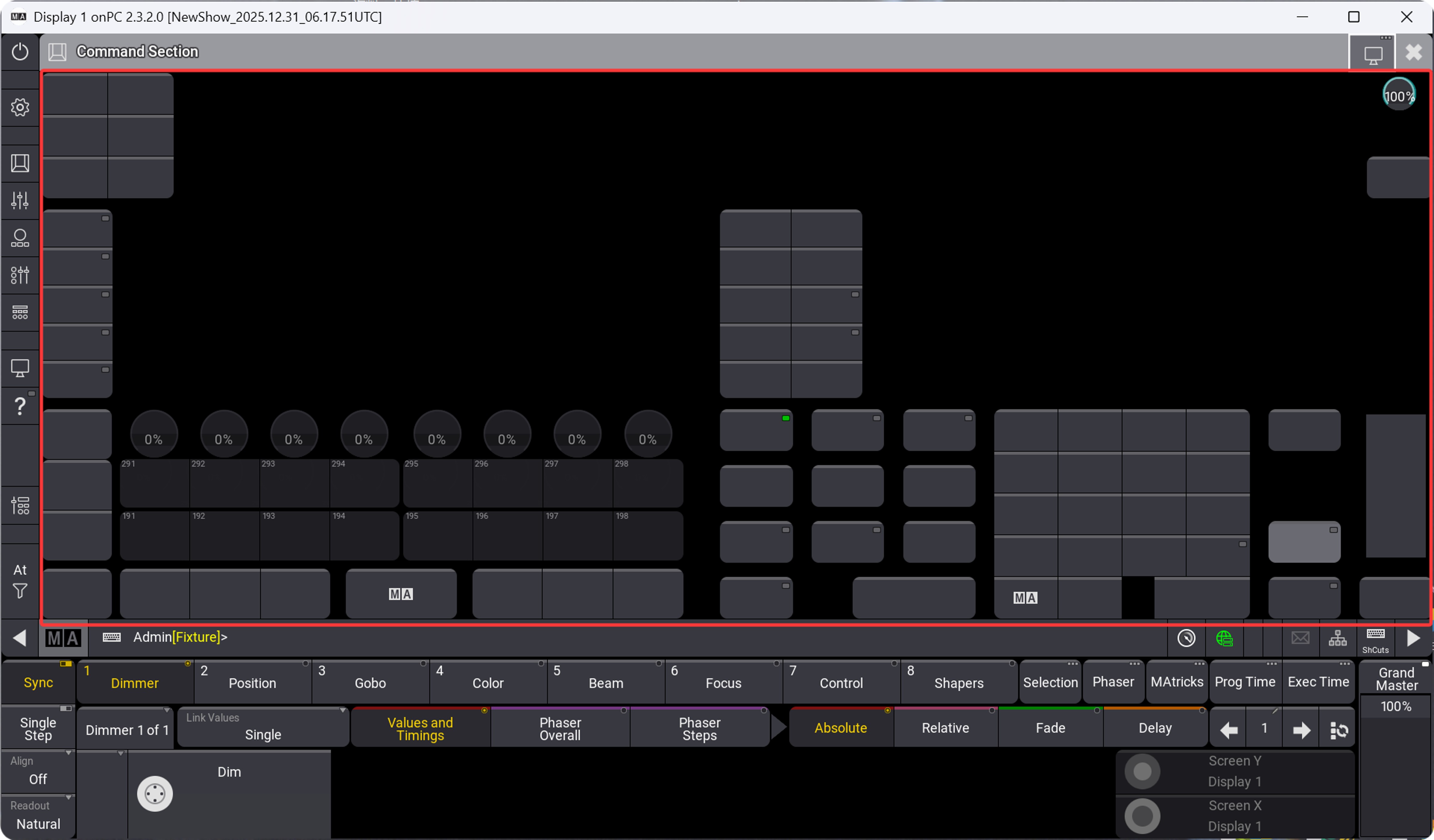
Solution:
It is recommended to install a lower version of MA3 onPC for Windows. Lower versions have reduced hardware requirements and are more suitable for lower-spec computers, effectively resolving the issue of missing function buttons and improving system stability.
 Dalang Show
Below in total 1 A response
This is because the computer’s specifications are too low, and the MA3 on PC version is too high, which also requires very high specs. Installing a lower version allows it to display normally.